


Agentforce 360 Deep Dive: How Agentforce Builder Helps Teams Become an Agentic Enterprise
In this Agentforce 360 Platform deep dive, we explore how Salesforce users can move from idea to action with Agentforce Builder. In an earlier article we defined the agentic divide. Agentforce Builder is where Salesforce shows how enterprises start closing it.
Most enterprises don’t struggle with AI ideas, it’s the execution that trips them up.
Teams run pilots. They test prompts. They demo prototypes. Then the hard part hits: turning those experiments into something repeatable, secure, and trusted inside the workflows that run the business.
That’s where the agentic divide shows up in real life. Customers experience AI as a finished product. Enterprises deploy AI as proofs of concept and bolt-ons. The result shows up quickly: agents that lack context, data that can’t be trusted, and teams that hesitate to scale because control feels unclear.
Agentforce Builder is Salesforce’s answer to that execution gap.
Why Building Agents Breaks Down in the Enterprise
When teams build agents outside the systems where work actually happens, they create friction they can’t scale past.
You see it in patterns like these:
None of these failures come from a lack of intelligence, but rather from building agents in isolation.
So what is Agentforce Builder?
Agentforce Builder is the part of the Agentforce 360 platform that helps teams design and configure agents inside Salesforce—where data, workflows, and permissions already exist.
Instead of treating agents like external tools, Builder treats them like part of the operating model. Teams can shape what an agent should do, what it can access, and how it behaves inside real business processes.
That shift matters because it pulls agent development closer to the source of truth. It also makes constraints visible early—before agents start making decisions based on incomplete context.
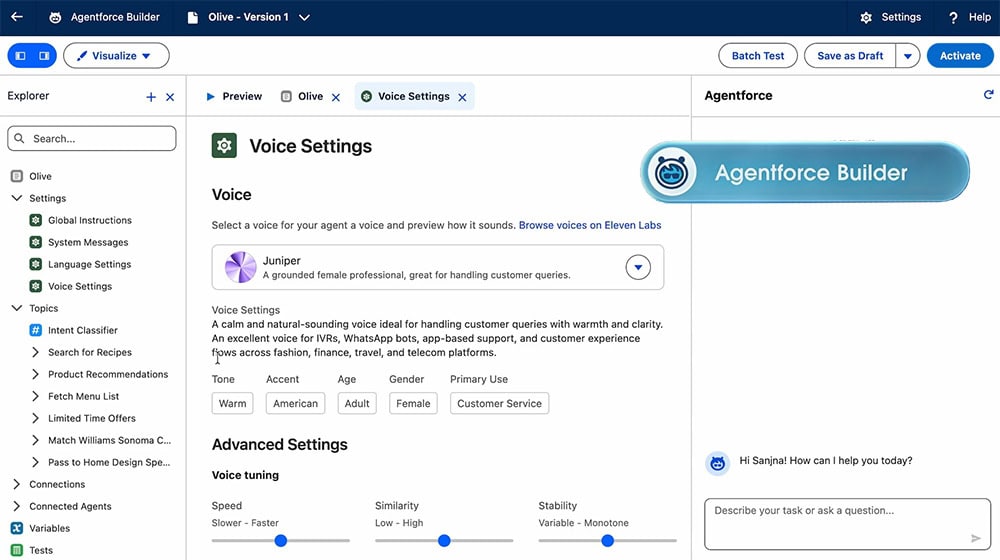
Agentforce Builder, now in Beta
Why We’re Paying Attention at Smartbridge
A lot of tools make it easy to build “something that looks like an agent.” What’s harder is building an agent that survives contact with reality.
Smartbridge teams care about the same things your teams care about:

Consulting Partner

Managed Services Provider
Agentforce Builder stands out because it supports a more mature build motion. It brings agent creation into the same environment where organizations already manage access, process design, and operational accountability.
Builder doesn’t make the hard parts disappear, however. It brings them to the surface early, when you can still fix them without blowing up the project.
Before You Build: A Readiness Checklist That Saves You Later
If you want Builder to create real momentum (not another pilot), start here:
- Confirm your system of truth: where should the agent pull “approved” information from?
- Standardize the workflow: don’t automate chaos and expect consistency
- Define ownership: who owns each step when the agent escalates or flags issues?
- Set boundaries early: what should the agent never do without human review?
- Plan for iteration: your first version should improve the process, not perfect it
This is how you avoid building an agent that works in a demo but fails in production.
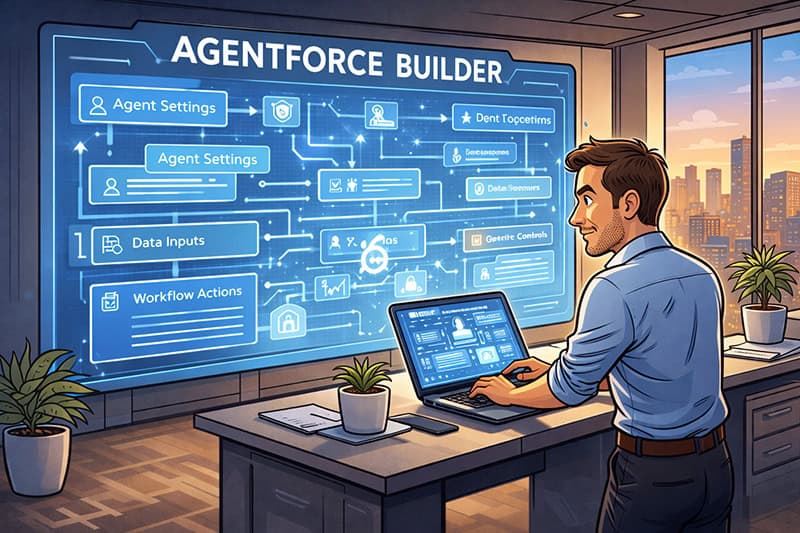
What Comes Next
Agentforce Builder helps teams move from “we have an idea” to “we have an agent that fits our business.”
But building agents is only the first step. Once they exist, behavior matters. Consistency matters. Execution inside real workflows matters.
In the next article, we’ll look at Agentforce Script, and how enterprises shape agent actions so work gets done reliably, not just discussed.
Agentforce 360 Use Case
Life Sciences Deep-Dive: Regulatory Submission Readiness Without Chaos
Regulatory work leaves no room for guesswork. Teams juggle constant document updates, version control, and strict traceability. When something slips, it’s a missed deadline, rework, audit risk, and a lot of scrambling across the business.
A common pain point looks like this:
A regulatory affairs team needs to prepare a submission package. Content lives in multiple places. Some pieces sit in Salesforce. Some live in document repositories. Some exist in email threads or spreadsheets. The team spends days tracking what’s complete, what’s missing, and what changed.
This is where Agentforce Builder can support a practical agent workflow that elevates the team without pretending to replace them.
The Situation
You need a submission-ready package, but your process depends on tribal knowledge:
“Which version is approved?”
“Who owns the final review?”
“Did we capture the latest labeling changes?”
“What’s still missing before we submit?”
People can answer those questions, but they waste time hunting for them.
The Workflow (What the Agent Does)
Using Agentforce Builder, you configure an agent that supports submission readiness by guiding the process and enforcing consistency.
The agent can:
- Ask what submission type the user is preparing
- Pull the required checklist for that submission type
- Confirm the status of required artifacts (draft, review, approved)
- Flag missing items or conflicting versions
- Route tasks to the correct owners for completion or review
- Generate a clear “submission readiness” snapshot for the team
This agent doesn’t “submit for you.” It keeps the work moving and reduces the time lost to manual coordination.
What Data and Context It Needs
To act with accuracy, the agent needs trusted inputs. For example:
- Submission type and required artifact lists
- Document status and version history
- Ownership and approval roles
- Product or study metadata tied to the submission
- Prior submission patterns (what caused delays last time)
If those inputs don’t exist cleanly, the agent will surface that gap fast, which is useful, even if it feels inconvenient.
Where This Can Go Wrong (And How You Prevent It)
This is the part most enterprises skip during pilots.
The agent can fail if:
- Users store key documents outside governed systems
Status fields don’t reflect reality - Approval paths vary by team and no one standardized them
- Permissions allow the wrong roles to view or change sensitive content
You avoid these failures by setting boundaries up front:
- Standardize the readiness checklist by submission type
- Define clear ownership for each artifact
- Lock down permissions by role
- Treat “approved” as a controlled state, not a suggestion
What Success Looks Like
You don’t need to promise a miracle. You need outcomes a regulatory team will recognize immediately:
- Fewer last-minute scrambles to find “the right version”
- Faster readiness reviews because status is visible and consistent
- Less rework caused by missing artifacts or unclear ownership
- More confidence during audits because the process is traceable
That’s what “elevating human work” looks like in a high-stakes environment.