
UiPath AI Center: Intelligent Automation Guide

Companies need AI models in production workflows, not stuck in development. Deployment matters more than testing promises.
AI Center connects data science to operational automation, letting teams build custom models, use pre-trained solutions, and integrate artificial intelligence into business processes. This platform component of UiPath Automation Cloud changes how teams deploy machine learning models into RPA workflows.
Data science teams build models that test well. Then deployment stalls. Integration with existing automation proves difficult. Model management gets complex as versions multiply and performance metrics scatter across systems.
AI Center solves these operational problems. The platform lets organizations train ML models, evaluate performance through structured pipelines, and deploy them into Studio workflows where robots consume predictions to make intelligent decisions.
This guide explains how AI Center works within the UiPath ecosystem. You’ll understand the platform’s core capabilities, how licensing operates through AI Units, and the steps for deploying both out-of-the-box packages and custom machine learning models into production automation.
What UiPath AI Center Does for Automation Teams
UiPath AI Center is a machine learning platform inside Automation Cloud. It handles the complete lifecycle for ML models that power intelligent automation.
Data scientists build models, but those models need paths into production workflows where robots execute business processes. AI Center provides that path.
Teams develop custom machine learning models through training pipelines, evaluate model accuracy against test datasets, and package those models as ML Skills that Studio workflows consume through activities.
The platform includes pre-built ML packages. These out-of-the-box models handle common tasks like text classification, named entity recognition, and image analysis without custom training data or data science expertise.
ML Skills created in AI Center become consumable components in Studio. Automation developers add activities that call these ML Skills, pass input data, and receive predictions that drive workflow decisions.
Organizations manage everything through a unified interface. Model versions, deployment configurations, performance monitoring, and resource allocation all happen within the AI Center dashboard accessible through Automation Cloud.
The platform uses AI Units, a licensing concept that measures consumption when models deliver value to the organization. This consumption-based approach means teams pay for model usage rather than upfront capacity.
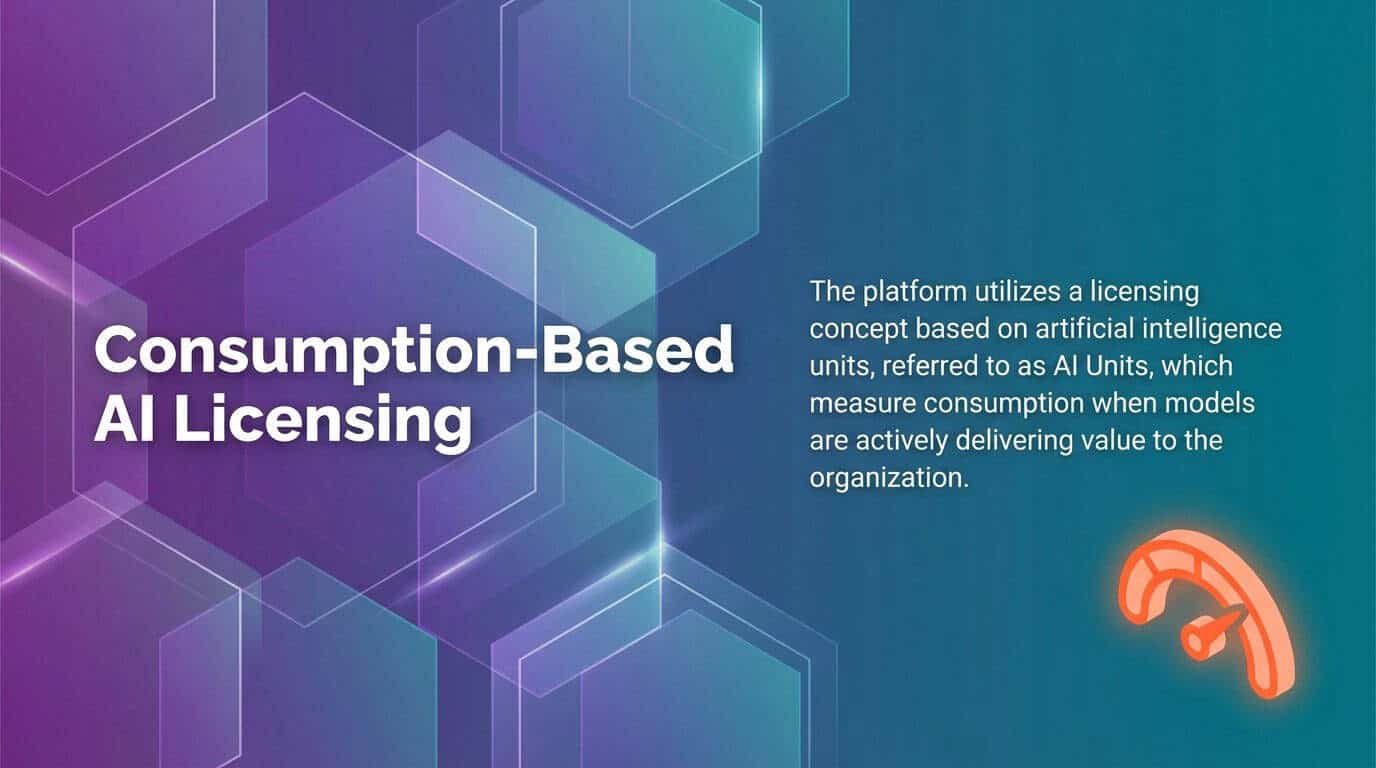
Consumption-based AI licensing in UiPath AI Center: AI Units meter real usage when models deliver value.

How ML Model Deployment Works in AI Center
Deployment begins with ML packages. These packages contain trained models, dependencies, and configuration files that define how the model processes inputs and returns predictions.
Teams upload packages to AI Center through the platform interface. Out-of-the-box packages from UiPath come pre-loaded and ready for deployment. Custom packages require training first through AI Center’s pipeline system.
Once uploaded, teams create ML Skills from these packages. An ML skill represents a deployed, callable version of a model that Studio workflows can consume.
Creating and Configuring ML Skills
The ML skill creation process requires several configuration decisions. Teams select which package version to deploy, choose hardware resources for inference, and configure the number of replicas for load balancing.
GPU allocation matters for complex models. Image classification and computer vision models benefit from GPU acceleration. Text processing models run efficiently on CPU resources.
Replica configuration determines how many concurrent prediction requests the skill can handle. Higher replica counts improve throughput but consume more AI Units per hour.
Each ML skill receives a unique endpoint. This endpoint becomes the integration point for Studio activities that need predictions from the model.
Connecting ML Skills to Studio Workflows
Studio workflows consume ML skills through specialized activities. The UiPath AI Center activities package provides the components automation developers need.
Activities like “ML Skill” and “Classify Document Scope” send data to AI Center, receive predictions, and format results for workflow use.
A document classification workflow sends invoice images to a Document Understanding ML skill. The skill returns extracted fields, confidence scores, and classification results that the workflow uses to route documents or validate data.
This integration architecture keeps automation logic separate from ML model complexity. Workflow developers work with activities and outputs without managing model internals or infrastructure.
Training Pipelines for Custom Machine Learning Models
Custom models require training data and evaluation processes. AI Center handles this through pipeline infrastructure that orchestrates training, testing, and packaging operations.
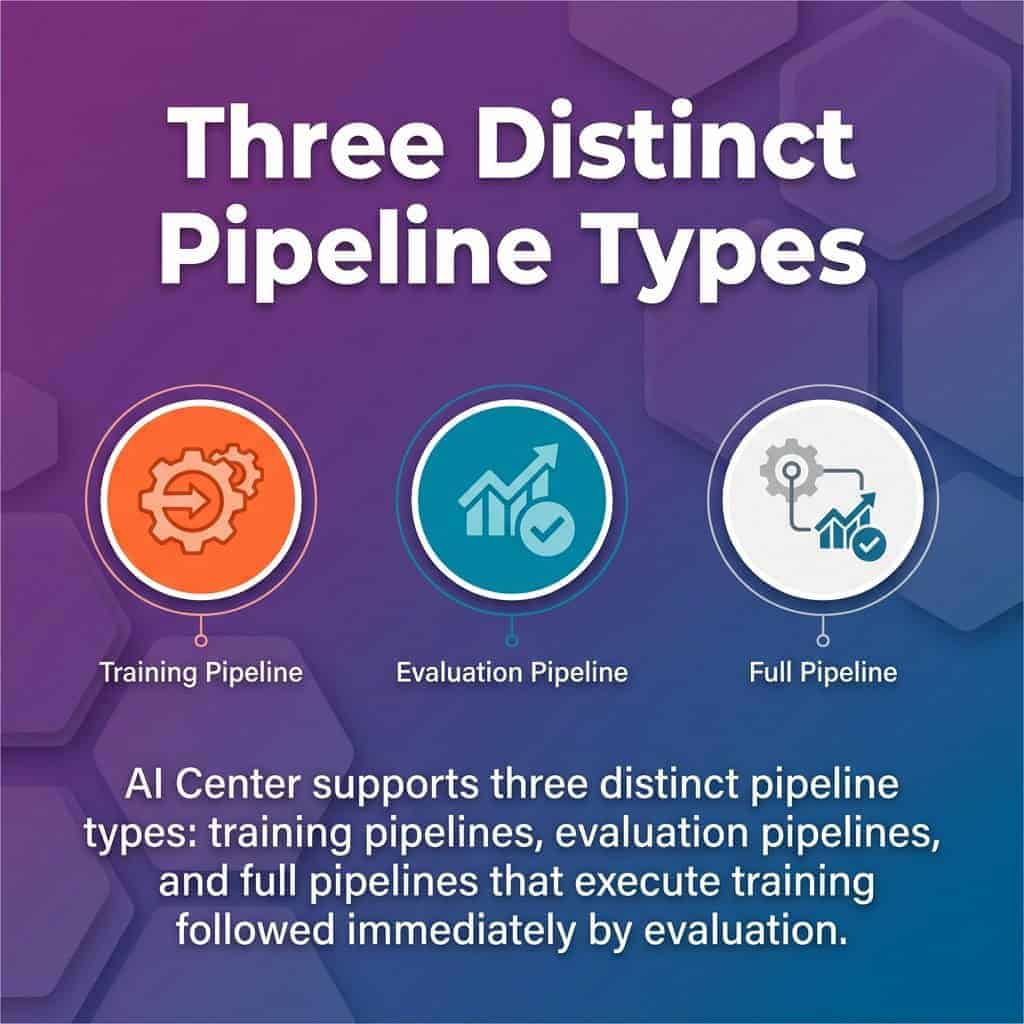
AI Center pipeline types: training, evaluation, and full (train + evaluate) to manage the end-to-end ML lifecycle.
Preparing Datasets for Model Training
Dataset quality determines model performance. Teams create datasets in AI Center by uploading labeled examples that represent the classification or prediction task.
For document understanding scenarios, datasets contain sample documents with annotated fields. Invoice processing models need invoices with marked vendor names, amounts, dates, and line items.
Text classification requires labeled text samples. A model trained to categorize support tickets needs historical tickets tagged with correct categories.
Data labeling tools within AI Center help teams annotate training data. Subject matter experts can label examples through the platform interface without specialized technical knowledge.
Dataset size affects model accuracy. Larger, more diverse training sets produce better-performing models. For text classification tasks, begin with 100-200 labeled examples per category.
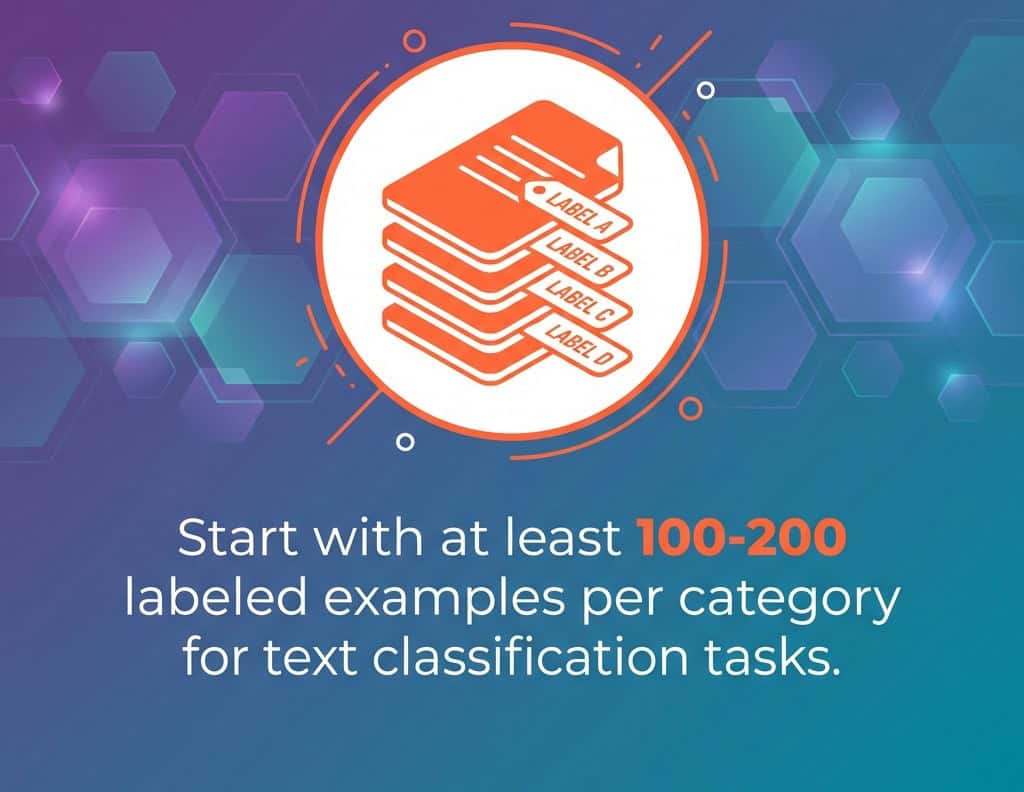
Start with 100–200 labeled examples per category to bootstrap text classification accuracy and model robustness.
Running Training Operations
Training pipelines execute on infrastructure managed by AI Center. Teams configure compute resources, select training algorithms, and set hyperparameters through the pipeline configuration interface.
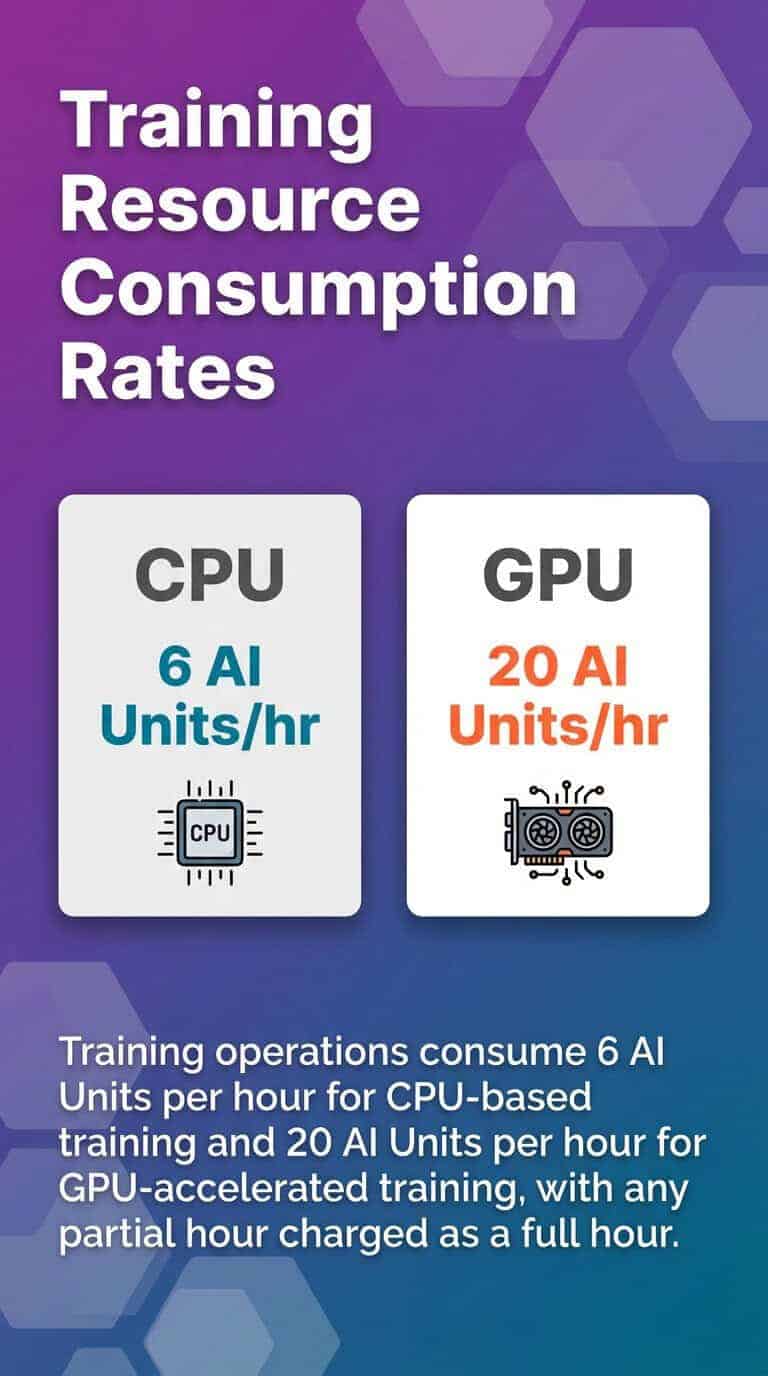
Training duration varies based on dataset size and model complexity. Simple text classification might complete in 30 minutes. Computer vision models with large image datasets could require several hours.
The pipeline produces a new package version when training completes. This version contains the trained model weights and updated configuration reflecting the training data characteristics.
Evaluating Model Performance
Evaluation pipelines test model accuracy against held-out test data. This data wasn’t included in training, providing an unbiased assessment of prediction quality.
AI Center generates performance metrics including accuracy, precision, recall, and F1 scores. These metrics help teams understand how well the model generalizes to new data.
Teams can compare multiple package versions to track model improvement. Retraining with additional data should show metric improvements over baseline versions.
Poor evaluation metrics signal data quality issues or insufficient training examples. Fix these by expanding datasets, improving label consistency, or adjusting model hyperparameters.
Out-of-the-Box ML Packages and Pre-Built Models
UiPath provides production-ready ML packages for common automation scenarios. These models eliminate custom training requirements for standard use cases.
The packages fall into several categories based on task type. Language analysis handles text-based operations. Image analysis processes visual content. Document understanding combines both for form processing.
Language Analysis Capabilities
Language analysis packages process text to extract meaning, classify content, and identify entities. Teams deploy these for email routing, document categorization, and content analysis workflows.
Text classification assigns predefined categories to text inputs. A support ticket classifier might categorize messages as technical issues, billing questions, or feature requests.
Multilingual Text Classification supports the top 100 Wikipedia languages, enabling organizations to classify text in diverse linguistic contexts. This global capability works without separate models per language.

Named entity recognition identifies people, organizations, locations, and dates within text. Contract analysis workflows use this to extract party names, effective dates, and jurisdiction information.
Sentiment analysis determines whether text expresses positive, negative, or neutral sentiment. Customer feedback processing benefits from automated sentiment scoring at scale.
Image Analysis and Computer Vision
Image classification packages categorize images into predefined classes. Manufacturing quality control might classify product photos as pass or fail based on visual inspection criteria.
Object detection locates and identifies specific items within images. Warehouse automation can detect package types, read labels, or identify damaged goods through visual analysis.
These vision models integrate with attended and unattended robots. Robots capture screenshots or access image files, send them to vision ML skills, and process returned classifications or detection results.
Document Understanding Integration
Document Understanding combines OCR, classification, and extraction into unified processing pipelines. This framework handles form processing automation for invoices, receipts, purchase orders, and other business documents.
Pre-trained document understanding models recognize common form types without custom training. Invoice processing starts working with UiPath’s out-of-the-box invoice model.
Extraction models pull specific fields from classified documents. They locate vendor information, total amounts, line items, and dates across different document layouts.
Teams can fine-tune these models with organization-specific documents. Add training examples that match your vendor formats, and the model adapts while maintaining base functionality.
AI Units Licensing and Consumption Model
AI Center charges based on resource consumption rather than fixed license fees. This consumption-based model scales costs with usage patterns.
AI Units represent the currency for AI Center operations. Teams receive or purchase AI Unit allocations that get consumed as models train, evaluate, and serve predictions.
Different operations consume units at different rates. Training uses units based on compute resource type and duration. Prediction serving consumes units based on infrastructure requirements and request volume.
Understanding AI Unit Consumption Patterns
Training pipelines consume units by the hour. GPU training consumes more units per hour than CPU training due to higher infrastructure costs.
Prediction serving charges based on deployed infrastructure. An ML skill configured with GPU resources and multiple replicas consumes more units per hour than a single CPU instance.
Consumption happens whenever the skill is deployed and active, not just when processing prediction requests. A deployed ML skill with one CPU replica might consume 2 AI Units per hour regardless of request volume.
Teams can optimize consumption through strategic deployment. Deploy skills when automation workflows need them. Un-deploy skills during periods of low automation activity.
Monitoring and Managing AI Unit Usage
AI Center provides consumption dashboards showing unit usage by ML skill, project, and time period. These reports help teams understand where consumption occurs and optimize deployments.
Set up monitoring alerts when consumption approaches budget thresholds. This prevents unexpected overages from runaway training jobs or forgotten deployed skills.
Resource right-sizing reduces consumption without sacrificing performance. Test whether CPU instances deliver acceptable latency before deploying GPU resources.
Batch processing strategies can reduce serving costs. Deploy on-demand when automation schedules require predictions, then un-deploy after processing completes, instead of keeping skills deployed continuously.
Accessing AI Center Through Automation Cloud
AI Center operates as a service within UiPath Automation Cloud. Organizations access the platform through their cloud tenant after enabling the service.
Tenant administrators control AI Center access through role-based permissions. Different roles grant capabilities for creating projects, managing datasets, deploying ML skills, or consuming skills in workflows.
Enabling AI Center Service
Access the Automation Cloud admin panel and go to service settings. Enable the AI Center service for your tenant. This activation makes AI Center interfaces accessible to permitted users.
Configure AI Unit allocation during service activation. Specify how many units the tenant can consume monthly based on your subscription or pay-as-you-go arrangement.
Set up user permissions through role assignments. Data scientists need roles allowing dataset creation and pipeline execution. Automation developers require permissions to consume ML skills in Studio projects.
Creating and Organizing AI Center Projects
Projects provide organizational structure within AI Center. Each project contains related datasets, ML packages, pipelines, and ML skills for a specific automation initiative.
Create separate projects for different business processes or departments. Invoice processing might live in one project while customer service automation uses another.
Project-level permissions control who can view or modify resources. Restrict production projects to authorized team members while allowing broader access to development and testing projects.
Projects connect to Studio through project references. Automation projects in Studio link to AI Center projects, making their ML skills available to workflow developers.
Integrating AI Center with RPA Workflows
The connection between AI Center and Studio workflows creates intelligent automation. Models provide decision intelligence that robots need to handle variability and ambiguity.
Integration follows a consistent pattern. Workflows collect data, send it to ML skills through activities, receive predictions, and use those predictions to drive process logic.
Common Integration Patterns
Document routing workflows use classification ML skills to determine where documents should go. Process invoices, purchase orders, and receipts differently based on classification results.
Data validation applies ML models to check whether extracted information meets quality standards. Flag suspicious values that fall outside expected patterns for human review.
Exception handling employs ML skills to categorize errors and route them appropriately. Different exception types need different resolution processes.
Content generation uses generative AI models to create emails, summaries, or reports. The workflow provides context and parameters while the model generates human-readable content.
Building Workflows That Consume ML Skills
Add the UiPath.MLServices.Activities package to your Studio project. This package contains activities for integrating AI and GenAI capabilities into automation workflows.
Configure connection settings to your AI Center tenant. Provide the tenant URL and authentication credentials that allow Studio to discover available ML skills.
Use the ML Skill activity to call specific skills. Select the skill from the dropdown list, configure input variables matching the skill’s expected data format, and map output variables to receive predictions.
Handle confidence scores appropriately. Most ML skills return predictions with confidence values. Set thresholds where high-confidence predictions proceed automatically while low-confidence cases route to human validation.
Implement error handling for ML skill calls. Network issues, skill unavailability, or invalid inputs should trigger retry logic or fallback processes rather than workflow failures.
Managing Model Performance and Continuous Improvement
Deployed models require ongoing monitoring and maintenance. Prediction accuracy degrades over time as data patterns shift and business contexts evolve.
AI Center provides tools for tracking model performance in production. Teams use these insights to identify when retraining becomes necessary.
Monitoring Production Model Metrics
Track prediction volume and latency through AI Center dashboards. Understand how many requests each skill processes and whether response times meet automation requirements.
Monitor confidence score distributions. A model returning mostly low-confidence predictions signals accuracy degradation requiring attention.
Collect feedback on prediction quality from downstream processes. When human validators override model predictions often, investigation is warranted.
Set up alerting for anomalous patterns. Sudden drops in prediction volume might indicate integration issues. Spikes in low-confidence predictions suggest model drift.
Retraining Models with New Data
Gather examples where models made incorrect predictions. These error cases become valuable training data for model improvement.
Expand datasets with new examples representing current data patterns. Business contexts change, introducing document layouts or text patterns the model hasn’t seen.
Execute training pipelines with augmented datasets. Compare new model versions against current production versions using evaluation pipelines.
Deploy improved models when evaluation metrics show meaningful gains. Gradual accuracy improvements accumulate into significant quality differences over multiple retraining cycles.
Version control becomes critical during iterative improvement. Tag package versions with performance metrics and deployment dates to maintain clear improvement history.
Security and Governance for Enterprise AI Deployment
Enterprise AI deployments require robust security and governance frameworks. AI Center provides controls that align with enterprise compliance requirements.
Data governance starts with dataset management. Control who can create, modify, or view training datasets containing sensitive business information.
Access Control and Permissions
Role-based access control segregates duties across the ML lifecycle. Data scientists access training and evaluation functions. Automation developers consume ML skills without modifying models.
Project-level permissions prevent unauthorized access to sensitive models or datasets. Financial processing models might require restricted access compared to general document classification.
Audit logs track all operations within AI Center. Monitor who trained models, when they deployed, and what configuration changes occurred.
Model Validation and Approval Workflows
Implement approval processes before deploying models to production. Require model performance validation by business stakeholders before automation workflows consume new versions.
Test models against validation datasets that represent edge cases and adversarial inputs. Ensure models handle unusual inputs gracefully rather than producing confident incorrect predictions.
Document model capabilities, limitations, and appropriate use cases. Teams consuming ML skills need clear guidance on when models should and shouldn’t be applied.
Establish retraining schedules based on data drift monitoring. Regular retraining prevents gradual accuracy degradation even when dramatic failures don’t occur.
Scaling AI Center Deployments Across the Enterprise
Initial AI Center deployments often start with pilot projects. Successful pilots create demand for expanded AI automation across more processes.
Scaling requires infrastructure planning and operational frameworks. Organizations need approaches that balance capability expansion with controlled growth.
Infrastructure and Resource Planning
Estimate AI Unit consumption for planned deployments. Calculate training frequency, number of active ML skills, and expected prediction volumes.
GPU resources accelerate training and inference for complex models. Plan GPU allocation based on model types and performance requirements.
Network bandwidth affects AI Center responsiveness. High-volume prediction scenarios need adequate network capacity between robots and AI Center endpoints.
Storage requirements grow with dataset expansion and model versioning. Archive older model versions while maintaining access to production-relevant history.
Center of Excellence Model
Establish an AI Center of Excellence that provides standards, training, and support for teams deploying machine learning models.
Create reusable templates for common model types. Standardize how teams structure projects, organize datasets, and configure pipelines.
Develop training programs that help automation developers understand when and how to apply ML skills. Not every automation problem needs machine learning.
Share successful patterns across teams. Document integration approaches, optimization techniques, and lessons learned from production deployments.
Quick Answers: Key AI Center Questions
What is AI Center in UiPath?
AI Center is UiPath’s machine learning platform that enables users to build, train, deploy, and manage AI models for automation tasks. It offers pre-built models for language analysis, image analysis, and custom machine learning capabilities, with consumption-based licensing through AI Units.
How do AI Units work?
AI Units measure consumption when models deliver value. Training consumes units based on compute type and duration. Deployed ML skills consume units based on infrastructure configuration and deployment time, not just prediction volume.
Can I use AI Center without data science expertise?
Yes, through out-of-the-box ML packages. Pre-trained models for document understanding, text classification, and image analysis work without custom training. Teams can deploy and consume these models through Studio activities without building custom models.
Moving AI Center from Pilots to Production
Organizations that treat intelligent automation as a strategic capability rather than isolated tools see compounding returns. AI Center enables this transition through production-grade ML infrastructure.
Begin with clear use cases that benefit from machine learning. Document classification, content routing, and data extraction represent proven applications where models deliver consistent value.
Build operational discipline around model management. Track performance, schedule retraining, and maintain quality standards as rigorously as you manage traditional automation workflows.
Teams that master the integration between data science capabilities and operational automation outpace competitors running rule-based processes.
Your path forward depends on current automation maturity. Teams new to AI Center benefit from out-of-the-box packages and simple integration patterns. Organizations with data science capabilities can use custom models and advanced training pipelines.
Either path leads to intelligent automation that handles variability, adapts to changing patterns, and scales across enterprise processes. Digital maturity translates into sustainable competitive advantage.