

Azure Synapse Analytics: Complete Data Warehousing Guide
Learn how Azure Synapse Analytics unifies data warehousing, big data processing, and analytics in one platform. This guide breaks down its architecture, core features, use cases, pricing, and how to get started.
Azure Synapse Analytics is a limitless analytics service that brings together big data and data warehousing into a unified platform that fundamentally changes how enterprise data teams work. This is the complete data warehousing platform Microsoft built to address the reality that modern analytics requires both SQL-based data warehouse capabilities and big data processing in one integrated workspace.
Unified analytics platform: Azure Synapse brings big data and data warehousing together in one service.
The shift happened fast. Most organizations now utilize cloud-based solutions for data analytics, moving away from on-premises systems that couldn’t scale with business demands. Azure Synapse Analytics represents Microsoft’s answer to this transformation, combining data integration pipelines, enterprise data warehousing, Apache Spark for big data processing, and machine learning capabilities within a single unified environment called Synapse Studio.
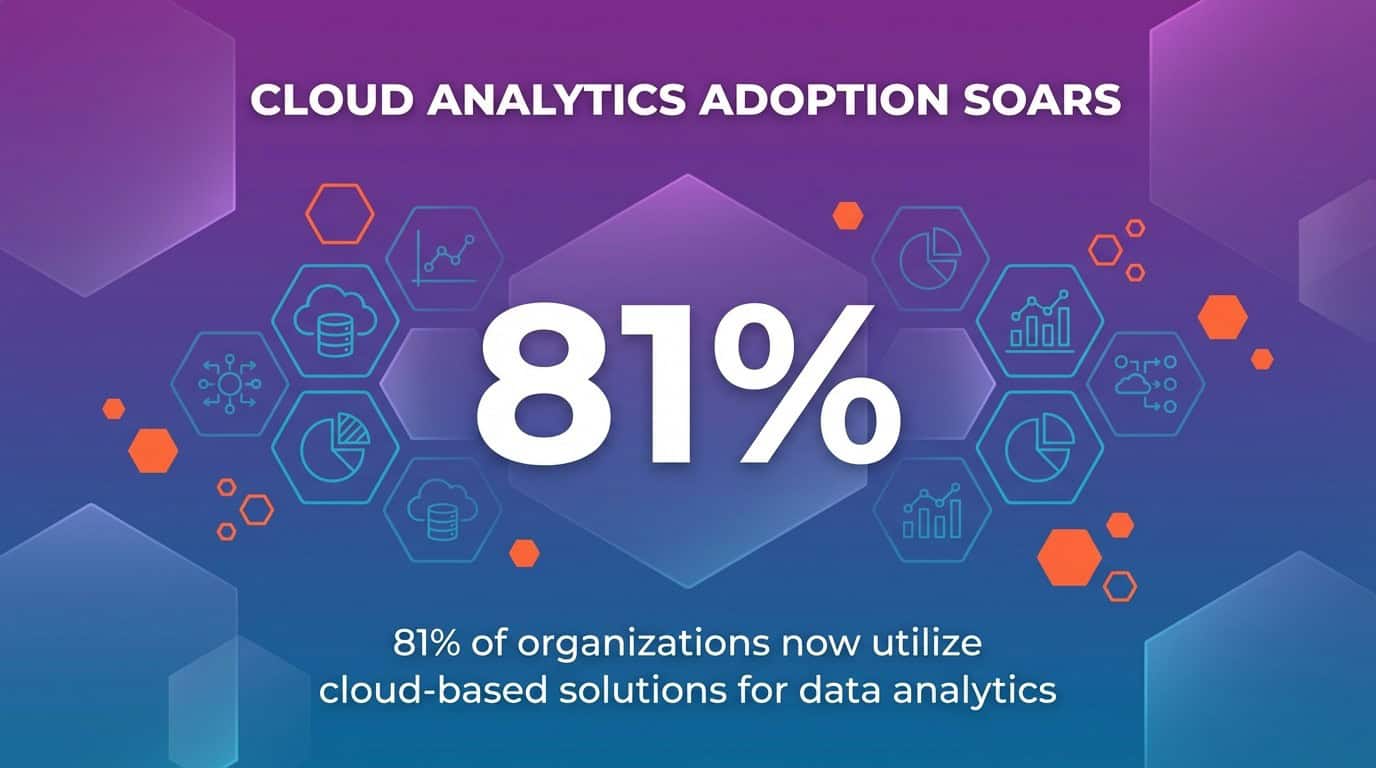
Cloud analytics adoption soars: 81% of organizations now use cloud-based data analytics solutions.
This guide breaks down what Azure Synapse Analytics actually delivers for enterprise data teams. You’ll understand the architecture components, how Synapse SQL works with both dedicated and serverless pools, and how the platform integrates with your existing Azure ecosystem for Power BI visualization and machine learning workflows.
Build with purpose, not patchwork. That philosophy drives how successful organizations approach Azure Synapse Analytics implementation, creating digitally connected data platforms rather than adding another disconnected analytics tool to their stack.
Build with purpose, not patchwork—guide your Synapse implementation with intentional architecture.
What Is Azure Synapse Analytics?
Azure Synapse Analytics is Microsoft’s enterprise analytics platform that unifies data warehouse and big data analytics capabilities into a single service.
The platform emerged from what Microsoft previously called Azure SQL Data Warehouse. Microsoft rebuilt and expanded that foundation, creating Synapse Analytics to address a fundamental enterprise challenge: analytics teams needed SQL-based data warehousing for structured data alongside Spark-based processing for unstructured big data, but these capabilities traditionally lived in separate, disconnected systems.
Synapse Analytics changes that equation. The platform provides a unified workspace where data engineers can build ETL pipelines, data warehouse architects can design dedicated SQL pools, data scientists can run Apache Spark jobs for machine learning, and business analysts can query data lakes using serverless SQL pools without provisioning infrastructure.
The architecture centers around three core analytics runtimes working within one workspace:

What makes Azure Synapse Analytics different from traditional data warehouse solutions is this unified approach. Data teams work in Synapse Studio, a single web-based interface where they can perform data integration, warehouse management, big data analytics, and visualization without switching between separate tools and platforms.
The platform connects directly to Azure Data Lake Storage as its primary storage layer. This means organizations can store both structured and unstructured data in Parquet files, CSV formats, or other file types, then query that data using SQL without moving it into a separate warehouse structure first.
For enterprise teams managing petabyte-scale data across multiple sources, Synapse Analytics delivers the analytics infrastructure to query, process, and derive insights from that data through a combination of SQL technologies and big data frameworks.
Azure Synapse Analytics Architecture
Now that you understand what Synapse Analytics delivers, the architecture reveals how these components work together within your Azure environment.
The foundation starts with the Synapse workspace. This workspace acts as the organizational boundary for all your analytics resources, providing a unified collaboration environment where data professionals access SQL pools, Spark pools, pipelines, and linked services through Synapse Studio.
Storage sits at the base layer. Azure Synapse Analytics separates compute from storage, using Azure Data Lake Storage Gen2 as the primary data lake for both structured and unstructured data. This separation means you can scale storage independently from compute resources, storing petabytes of data while spinning compute resources up or down based on workload demands.
Compute Architecture Models
Synapse SQL operates on two distinct compute models designed for different use cases:
Dedicated SQL pools use massively parallel processing (MPP) architecture. The system distributes your data across 60 distributions and processes queries in parallel across multiple compute nodes. You provision these pools with specific Data Warehouse Units (DWUs), which determine the compute power available for your data warehouse workloads.

Synapse SQL architecture: Dedicated SQL pools use MPP, distributing data across 60 distributions for parallel performance.
Serverless SQL pools provide on-demand query capabilities without infrastructure management. You write T-SQL queries against files in your data lake, and Azure automatically provisions the compute resources needed to execute those queries. You pay only for the data processed by each query, making this ideal for ad-hoc analysis and data exploration.
Apache Spark pools complement SQL capabilities with distributed computing for big data processing. Each Spark pool contains multiple worker nodes that process data in parallel, supporting machine learning, stream processing, and transformation workloads that go beyond traditional SQL operations.
Integration Layer
Synapse Pipelines form the integration layer, orchestrating data movement across your enterprise data systems. The pipeline engine connects to hundreds of data sources through built-in connectors, moving data into your data lake or dedicated SQL pools using Copy Activities, Data Flows, and external process execution.
The architecture also includes deep integration points with other Azure services. Power BI connects directly to Synapse SQL for visualization without data movement. Azure Machine Learning integrates for advanced model training and deployment. Azure Cosmos DB and other Azure databases link as sources and destinations for your analytics workflows.
Security and governance wrap around the entire architecture. Microsoft’s Azure Synapse is designed for advanced security at every layer, with network isolation, encryption at rest and in transit, role-based access control, and integration with Azure Active Directory for identity management.
Advanced security built in: Defense in depth across network, identity, and data layers.
This architectural approach means your data teams work within a single security boundary, accessing all analytics capabilities through unified authentication while administrators manage permissions centrally rather than across multiple disconnected systems.
Key Components of Azure Synapse Analytics
With the architecture established, each component within Azure Synapse Analytics serves specific analytics needs while connecting to the broader ecosystem.
Synapse Studio Unified Interface
Synapse Studio provides the web-based workspace where all Synapse Analytics work happens. The interface organizes capabilities into hubs: Data for exploring databases and data lakes, Develop for creating SQL scripts and notebooks, Integrate for building pipelines, Monitor for tracking job execution, and Manage for configuring resources.
This unified workspace eliminates the context switching that traditionally slowed analytics teams. A data engineer can build a pipeline to ingest data, a data warehouse architect can create tables in a dedicated SQL pool, and a data scientist can develop Spark notebooks for machine learning, all within the same interface using shared metadata and resources.
Synapse SQL Capabilities
Synapse SQL delivers enterprise data warehousing through dedicated SQL pools and ad-hoc analytics through serverless SQL pools, both using familiar T-SQL syntax.
Dedicated SQL pools function as your traditional data warehouse. You design star schemas or snowflake schemas with fact and dimension tables, optimized for analytical queries through columnstore indexes and distribution strategies. The MPP architecture distributes data across nodes, processing complex joins and aggregations in parallel for fast query performance on large datasets.
Serverless SQL pools change how teams explore data lakes. Instead of loading data into a warehouse first, analysts write T-SQL queries directly against Parquet files, CSV files, or JSON documents in Azure Data Lake Storage. The serverless pool automatically determines the schema, provisions compute resources, and executes the query without any infrastructure management.
Both pool types support standard SQL constructs: views, stored procedures, functions, and complex queries with joins, aggregations, and window functions. This means data analysts familiar with SQL can immediately work with Synapse Analytics without learning new query languages.
Apache Spark Integration for Big Data
Apache Spark pools bring distributed computing and machine learning capabilities to Synapse Analytics. Data scientists and engineers create notebooks in Synapse Studio using Python, Scala, R, or .NET Spark to process large datasets, train machine learning models, and perform complex transformations that go beyond SQL capabilities.
The Spark integration connects directly to the same data lake storage used by Synapse SQL. You can read data processed by SQL pools, transform it using Spark, and write results back to the data lake for consumption by Power BI or other analytics tools. This eliminates data duplication and movement between separate big data and data warehouse systems.
Synapse Spark includes built-in libraries for machine learning (MLlib), graph processing (GraphFrames), and stream processing. Data science teams can develop and train models using familiar frameworks like TensorFlow, PyTorch, or scikit-learn, then operationalize those models within the same workspace.
Data Integration with Synapse Pipelines
Synapse Pipelines orchestrate data movement and transformation across your enterprise data systems. The pipeline designer provides a visual interface for building ETL and ELT workflows without writing code, though you can also define pipelines through JSON templates for infrastructure-as-code scenarios.
Pipelines connect to over 90 built-in connectors spanning on-premises databases, cloud data stores, SaaS applications, and file systems. Copy Activities move data efficiently using parallel processing and optimized network protocols. Data Flows provide a visual mapping interface for transformations like joins, aggregations, and derived columns using Spark processing underneath.
The pipeline execution engine handles scheduling, dependency management, retry logic, and monitoring. You can trigger pipelines on schedules, in response to events like new file arrivals, or manually through REST API calls from external orchestration systems.
Integration with Power BI and Azure Services
Azure Synapse Analytics integrates deeply with Power BI for visualization and reporting. The Power BI service connects directly to dedicated SQL pools and serverless SQL pools, enabling business analysts to create reports and dashboards using DirectQuery or Import modes without moving data to separate analytics databases.
The platform also connects throughout the Azure ecosystem. Azure Machine Learning integrates for advanced model training and deployment. Azure Purview provides data governance and cataloging across your Synapse workspace. Azure Cosmos DB serves as both a data source for analytics and a destination for processed results needing low-latency access.
These integration points create a digitally connected data platform where information flows between services without custom integration code or third-party middleware tools.
Core Features and Capabilities
Each component within Synapse Analytics unlocks specific capabilities that transform how enterprise teams approach data warehousing and big data analytics challenges.
Performance Optimization Features
Dedicated SQL pools deliver performance through materialized views, result-set caching, and workload management. Materialized views pre-compute complex aggregations, dramatically reducing query execution time for frequently-run analytical queries. Result-set caching stores query results, returning identical query requests instantly without re-executing the underlying logic.
Workload management lets administrators define resource classes and workload groups that control how queries consume compute resources. High-priority business intelligence queries can receive guaranteed resources while lower-priority data exploration queries use available capacity without impacting critical workloads.
Columnstore indexes provide 10x compression and significant performance improvements for analytical queries. The SQL engine reads only the columns needed for each query, dramatically reducing I/O compared to traditional row-based storage formats.
Serverless Analytics Capabilities
Serverless SQL pools enable analytics teams to query data lakes without infrastructure provisioning or capacity planning. Data remains in its original format in Azure Data Lake Storage while teams write standard T-SQL queries to explore that data, create external tables, or generate views that abstract underlying file structures.
This serverless approach changes cost models for exploratory analytics. Teams pay only for data processed by each query rather than maintaining always-on compute resources. For organizations with large data lakes and variable query patterns, serverless pools reduce infrastructure costs while maintaining query flexibility.
The serverless pool automatically infers schema from Parquet files and JSON documents, eliminating manual schema definition for many data exploration scenarios. Analysts can immediately query new datasets in the data lake without waiting for database administrators to create table structures.
Machine Learning and AI Integration
Synapse Analytics brings machine learning capabilities directly into the data warehouse environment. Data scientists build and train models using Spark ML or integrate with Azure Machine Learning for advanced scenarios, all working with the same data used for business intelligence and reporting.
The platform supports the complete machine learning lifecycle. Data engineers prepare training datasets using Synapse Pipelines and SQL transformations. Data scientists experiment with models in Spark notebooks. MLOps teams deploy trained models using Azure Machine Learning or score data directly in SQL pools using the PREDICT function.
Integration with Azure Cognitive Services enables teams to add pre-built AI capabilities like sentiment analysis, language detection, and entity extraction to their data pipelines without building custom models.
Real-Time Analytics
While Synapse Analytics focuses primarily on batch processing, the platform supports real-time analytics scenarios through integration with Azure Stream Analytics and Event Hubs. Streaming data flows into dedicated SQL pools or the data lake, where Spark Structured Streaming or SQL queries provide near-real-time insights.
This combination of batch and streaming capabilities means organizations can build lambda architectures within a single platform, processing historical data through SQL pools while handling real-time data through Spark streaming jobs.
Use Cases for Azure Synapse Analytics
Organizations across industries deploy Synapse Analytics to solve specific data challenges that traditional systems couldn’t address effectively.
Enterprise Data Warehousing
The most common use case remains enterprise data warehousing. Organizations migrate from on-premises systems like Teradata or Oracle to Synapse Analytics for scalable cloud data warehouse capabilities. Dedicated SQL pools provide the performance and scale needed for star schema designs supporting business intelligence, reporting, and operational analytics across departments.
Finance teams query consolidated financial data across subsidiaries. Sales organizations analyze pipeline and revenue metrics. Supply chain teams track inventory and logistics across global operations. The data warehouse becomes the single source of truth for enterprise metrics and key performance indicators.
Big Data Analytics and Data Lake Processing
Organizations storing massive datasets in Azure Data Lake Storage use Synapse Analytics to process and analyze that data without moving it to separate systems. Serverless SQL pools enable business analysts to query log files, IoT sensor data, or clickstream information using familiar SQL syntax despite the unstructured or semi-structured nature of the source data.
Data scientists use Spark pools to perform advanced analytics on these same datasets. Machine learning models train on historical data lake contents. ETL processes transform raw data into curated datasets for downstream consumption. All of this happens within the unified Synapse workspace without data duplication or complex integration logic.
Data Integration and ETL/ELT Pipelines
Synapse Pipelines orchestrate complex data integration scenarios across hybrid and multi-cloud environments. Organizations consolidate data from CRM systems, ERP platforms, marketing automation tools, and operational databases into their data lake or data warehouse using pipeline workflows.
The platform supports both ETL (extract, transform, load) and ELT (extract, load, transform) patterns. Traditional ETL workflows transform data in Synapse Pipelines before loading to dedicated SQL pools. Modern ELT approaches load raw data to the data lake first, then use SQL or Spark to transform that data for analytics purposes.
Advanced Analytics and Machine Learning
Data science teams build predictive models using historical data warehouse contents and big data lake datasets. Customer churn models, demand forecasting, fraud detection, and recommendation engines all leverage Synapse Analytics capabilities to access training data, perform feature engineering, and score new data with trained models.
The integration between SQL pools and Spark pools proves particularly valuable. Data engineers prepare clean, standardized datasets using SQL transformations. Data scientists access those datasets directly in Spark notebooks for model development. Trained models deploy back to SQL pools where business analysts can score new records using simple SQL PREDICT statements.
Real-Time and IoT Analytics
Manufacturing organizations process sensor data from equipment to predict maintenance needs. Retail companies analyze point-of-sale transactions in near real-time to detect inventory issues. Healthcare systems monitor patient devices and respond to concerning patterns.
These scenarios combine streaming ingestion through Event Hubs with Synapse Analytics processing. Stream data flows into the data lake where Spark Structured Streaming jobs provide real-time processing. Historical data in dedicated SQL pools supports trend analysis and comparison against baseline patterns.
Security and Compliance in Azure Synapse Analytics
Now that you understand how organizations use Synapse Analytics, security and compliance features ensure enterprise data remains protected throughout the analytics lifecycle.
Network Security and Isolation
Azure Synapse Analytics supports network isolation through Azure Virtual Network integration and private endpoints. Organizations can deploy Synapse workspaces within their virtual networks, ensuring all traffic between analytics components and data sources remains on Microsoft’s private network backbone without traversing the public internet.
Managed virtual networks provide automatic network isolation for Synapse workspaces. Outbound traffic flows only to approved resources through managed private endpoints, preventing data exfiltration and unauthorized connections to external services.
IP firewall rules restrict access to Synapse SQL endpoints and development tools. Administrators define allowed IP address ranges, ensuring only authorized networks can connect to workspace resources.
Authentication and Access Control
Azure Active Directory integration provides centralized identity management for all Synapse Analytics resources. Users authenticate once through Azure AD, then access SQL pools, Spark pools, and pipelines based on role-based access control (RBAC) permissions assigned by administrators.
Synapse Analytics implements granular permissions at multiple levels. Workspace-level roles control who can create SQL pools and Spark pools. SQL database permissions determine which users can query specific tables or execute stored procedures. Pipeline permissions restrict who can trigger or modify data integration workflows.
Conditional access policies enable administrators to require multi-factor authentication, restrict access from specific locations, or enforce device compliance checks before granting access to sensitive analytics workloads.
Data Protection and Encryption
Data encryption protects information at rest and in transit. Azure automatically encrypts all data stored in dedicated SQL pools, the data lake, and Spark pool storage using 256-bit AES encryption. Customers can manage encryption keys through Azure Key Vault for additional control over cryptographic operations.
All network traffic between Synapse components and client applications uses TLS 1.2 encryption. This includes connections from Power BI, SQL Server Management Studio, Azure Data Studio, and custom applications accessing Synapse endpoints.
Dynamic data masking obscures sensitive data for non-privileged users. Administrators define masking rules that automatically redact credit card numbers, email addresses, or other sensitive fields when users without appropriate permissions query tables containing that data.
Auditing and Threat Detection
Synapse Analytics integrates with Azure Monitor and Log Analytics for comprehensive activity tracking. Audit logs capture all SQL queries, pipeline executions, and administrative actions, providing the forensic data needed for security investigations and compliance reporting.
Azure Defender for SQL provides threat detection capabilities that identify suspicious activities like SQL injection attempts, anomalous access patterns, or potential data exfiltration. Security teams receive alerts when these threats are detected, enabling rapid response to potential security incidents.
Compliance certifications demonstrate Microsoft’s commitment to security standards. Azure Synapse Analytics maintains certifications for ISO 27001, SOC 2, HIPAA, GDPR, and other regulatory frameworks, helping organizations meet their compliance obligations when processing sensitive data.
Pricing and Cost Management
Understanding Synapse Analytics pricing models helps organizations optimize costs while delivering the analytics capabilities their teams need.
Dedicated SQL Pool Pricing
Dedicated SQL pools use a consumption-based pricing model measured in Data Warehouse Units (DWUs). Each DWU represents a blend of compute, memory, and I/O resources. Organizations select DWU levels from DW100c to DW30000c based on their performance requirements, paying hourly rates that scale with the selected capacity.
The platform supports pausing dedicated SQL pools when not in use. Analytics teams can pause pools during nights, weekends, or other low-usage periods, paying only for the storage costs while compute charges stop completely. This pause capability dramatically reduces costs for workloads that don’t require 24/7 availability.
Storage costs separate from compute charges. Data stored in dedicated SQL pools incurs standard Azure Storage costs based on the volume of data retained and the storage tier selected.
Serverless SQL Pool Pricing
Serverless SQL pools charge based on the amount of data processed by each query rather than provisioned capacity. Organizations pay per terabyte of data scanned when queries execute against files in the data lake. Queries that scan smaller datasets or leverage partitioning to limit data accessed incur proportionally lower costs.
This on-demand pricing model benefits organizations with sporadic query patterns or exploratory analytics workloads. Teams can run queries against massive datasets without maintaining expensive always-on infrastructure, paying only for the specific analysis they perform.
Query optimization becomes a cost management strategy with serverless pools. Partitioning data in the data lake, using columnar formats like Parquet, and writing selective queries that limit scanned data all reduce processing costs.
Apache Spark Pool Pricing
Spark pools charge based on the number and size of nodes in each pool, measured per minute of execution time. Organizations pay for the time Spark clusters run, whether actively executing jobs or sitting idle between tasks. Auto-pause settings automatically shut down Spark pools after periods of inactivity, preventing charges for unused capacity.
Node size selection impacts both performance and cost. Smaller nodes with less memory and fewer cores cost less per minute but may require more nodes to process workloads efficiently. Organizations balance these factors based on their specific big data and machine learning requirements.
Pipeline and Integration Costs
Synapse Pipelines pricing includes activity execution charges and data flow processing costs. Each pipeline activity execution incurs a small per-run charge. Data flows consume additional compute resources measured by core-hour usage, with costs varying based on the cluster size selected for transformation workloads.
External data movement also factors into costs when pipelines copy data between Azure and non-Azure systems. Data transfer out of Azure incurs bandwidth charges beyond included monthly allotments.
Cost Optimization Strategies
Organizations control Synapse Analytics costs through several optimization approaches:
These strategies help teams deliver analytics capabilities while managing cloud costs effectively.
Getting Started with Azure Synapse Analytics
With cost models understood, the implementation path from initial setup to production analytics workloads follows a systematic approach.
Creating Your First Synapse Workspace
Implementation begins in the Azure portal. Navigate to Create a resource, search for Azure Synapse Analytics, and configure your workspace settings. You’ll select the Azure subscription, resource group, and region where the workspace will run. The workspace name becomes the unique identifier for all resources within your analytics environment.
The setup wizard prompts for data lake configuration. Synapse Analytics requires an Azure Data Lake Storage Gen2 account as the primary storage. You can create a new storage account during workspace creation or connect to an existing data lake if your organization already maintains one.
Security configuration includes setting up managed virtual network options, firewall rules, and administrative credentials. The workspace admin account receives full permissions to create SQL pools, Spark pools, and pipelines within the environment.
Building Your First Data Warehouse
After workspace creation, Synapse Studio becomes the primary interface for all development work. Create a dedicated SQL pool by specifying the pool name and performance level. Start with lower DWU levels for development and testing, scaling up as workload requirements become clear.
Design your data warehouse schema using familiar SQL Data Definition Language (DDL). Create tables with appropriate distribution strategies: round-robin for staging tables, hash distribution for large fact tables, and replicated distribution for small dimension tables. Columnstore indexes automatically optimize analytical query performance.
Load data using COPY INTO statements for bulk loading from the data lake or Synapse Pipelines for orchestrated ETL workflows. The platform handles parallel processing automatically, distributing data efficiently across compute nodes.
Implementing Your First Data Pipeline
Synapse Pipelines orchestrate data movement from source systems to your data lake and warehouse. The visual pipeline designer provides a drag-and-drop interface for building workflows without code.
Start by creating linked services that define connections to your data sources. These might include Azure SQL databases, on-premises SQL Server instances, Salesforce, or file systems. Each linked service stores connection information and authentication credentials for accessing external systems.
Build the pipeline by adding Copy Activities that move data from sources to destinations. Configure source queries, destination tables, and mapping between source and target columns. Add Data Flow activities for transformations like joins, aggregations, or data cleansing.
Set up pipeline triggers to execute workflows on schedules or in response to events like new file arrivals in the data lake. Monitor pipeline execution through the Monitor hub, reviewing activity status, execution duration, and any errors encountered during processing.
Exploring Data with Serverless SQL
Before committing to dedicated SQL pool infrastructure, explore data lake contents using serverless SQL pools. Write SELECT statements against Parquet files or CSV files using the OPENROWSET function, which reads files directly without creating persistent tables.
Create external tables that define schema on top of data lake files. These external tables enable business analysts to query data lake contents using standard SQL syntax without understanding underlying file structures or formats.
Build views that combine multiple external tables or apply filters and aggregations. These views abstract complexity from end users while maintaining the serverless cost model where charges accrue only when queries execute.
Migration from Existing Systems
Organizations moving from Azure SQL Data Warehouse find straightforward migration paths. The platform provides automated migration tools that convert existing SQL Data Warehouse databases to dedicated SQL pools with minimal downtime. Database schemas, data, and most T-SQL code transfer directly.
Migrations from other data warehouse platforms like Teradata, Oracle, or Netezza require more planning. Microsoft provides assessment tools that analyze existing workloads and generate compatibility reports. Schema conversion utilities translate platform-specific SQL dialects to T-SQL supported by Synapse Analytics.
The fundamentals of what Azure Synapse Analytics delivers prove critical during migration planning. Understanding architecture differences between legacy systems and Synapse helps teams redesign workloads to leverage cloud-native capabilities rather than simply replicating on-premises approaches.
Azure Synapse Analytics vs Alternatives
As organizations evaluate enterprise analytics platforms, understanding how Synapse Analytics compares to alternatives clarifies when the platform fits specific requirements.
The relationship between Microsoft Fabric and Azure Synapse represents Microsoft’s platform evolution. Fabric builds on Synapse foundations while adding SaaS deployment models and broader analytics capabilities. Organizations should evaluate both platforms based on their data maturity and operational preferences.
Competitive platforms like Snowflake and Google BigQuery offer similar cloud data warehouse capabilities with different architectural approaches. The comparison between Azure Synapse Analytics and Snowflake Cloud Data Warehouse helps teams understand trade-offs between Microsoft’s integrated Azure ecosystem and Snowflake’s multi-cloud architecture.
Platform selection depends on existing technology investments, team expertise, specific workload requirements, and strategic cloud commitments. Organizations heavily invested in Azure services find natural integration advantages with Synapse Analytics. Teams requiring multi-cloud flexibility might prioritize platforms with less ecosystem dependency.
Future of Azure Synapse Analytics and Migration Paths
Microsoft continues developing Synapse Analytics while introducing Microsoft Fabric as the next generation analytics platform. Understanding this trajectory helps organizations plan long-term data strategies.
The migration path from Azure Synapse to Microsoft Fabric provides options for organizations evaluating platform evolution. Microsoft commits to supporting Synapse Analytics while encouraging new deployments to consider Fabric’s expanded capabilities.
Current Synapse Analytics customers should monitor Microsoft’s roadmap announcements and evaluate whether modern data platform implementations benefit from Fabric’s unified SaaS approach or continue leveraging Synapse’s flexible infrastructure model.
Digital innovation is a journey, not a race. Organizations succeeding with Synapse Analytics focus on building solid data foundations, establishing governance practices, and developing team capabilities rather than chasing every platform update. The platform provides the analytics infrastructure needed for enterprise data warehousing, big data processing, and machine learning workloads today while Microsoft ensures migration paths exist for future platform transitions.
You now have the complete picture of what Azure Synapse Analytics delivers. The unified analytics platform brings together data warehousing through dedicated SQL pools, ad-hoc analytics through serverless SQL pools, big data processing through Apache Spark, and data integration through Synapse Pipelines, all accessible from Synapse Studio’s single workspace.
Build with purpose, not patchwork. Approach Synapse Analytics implementation strategically, understanding which components address your specific analytics challenges. Organizations that combine purposeful architecture with operational discipline extract maximum value from the platform’s enterprise capabilities.