
Microsoft Azure OpenAI Service: Complete Technical Guide
This technical guide covers Microsoft Azure OpenAI Service architecture, deployment, and implementation for enterprise teams moving from AI pilots to production.
Enterprise teams are moving past AI experiments. They need production-grade deployment, security controls, and cost visibility.
Microsoft Azure OpenAI Service bridges the gap between OpenAI’s advanced models and enterprise requirements. It provides secure access to GPT models through Azure infrastructure.
Organizations get the reasoning capabilities of GPT-5.4, multimodal processing, and enterprise compliance. All within Azure’s familiar ecosystem.
This guide examines Azure OpenAI Service architecture, deployment patterns, and implementation requirements. You’ll understand model options, pricing structures, and integration approaches. Enterprise teams can evaluate whether this platform fits their AI strategy.
We’ve watched organizations move from pilot projects to scaled AI operations. The pattern is consistent. Success requires understanding deployment types, cost models, and security frameworks before committing resources.
What Is Microsoft Azure OpenAI Service?
Azure OpenAI Service is Microsoft’s managed platform for deploying OpenAI models. It combines OpenAI’s research with Azure’s cloud infrastructure.
The service eliminates direct API integration complexity. Teams access GPT models, reasoning engines, and multimodal capabilities through Azure endpoints.
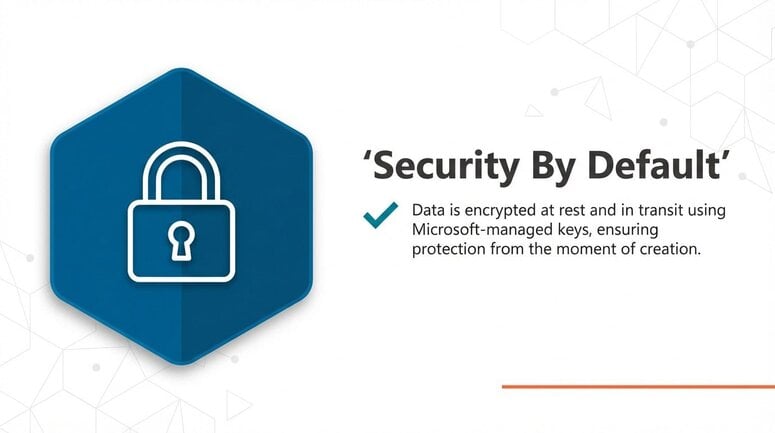
You get enterprise features that OpenAI’s public API doesn’t provide. Role-based access control, network isolation, and data residency options are built in. Data at rest encryption in Azure OpenAI Service uses Microsoft-managed cryptographic keys by default.
The platform integrates with other Azure services. Connect to Azure Cosmos DB for data storage. Link with Azure AI Search for retrieval-augmented generation. Deploy on Azure Kubernetes for containerized applications.
This integration creates unified AI workflows. Your data, models, and applications exist in the same environment.
Core Platform Components
Azure OpenAI Service consists of three foundational layers. Model access, deployment infrastructure, and management tools.
The model layer provides access to OpenAI’s latest releases. The general availability of GPT-5.4 and GPT-5.4 Pro was announced in March 2026, focusing on production-grade enterprise deployments.
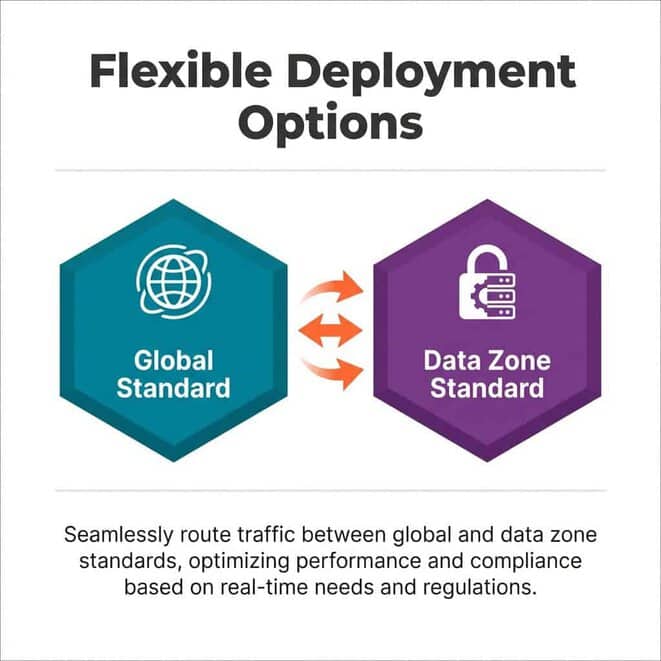
Deployment infrastructure handles model hosting and request routing. Azure OpenAI Service’s deployment types include Global Standard and Data Zone Standard options, allowing for dynamic routing with data residency compliance.
Management tools include Azure Portal, CLI, and SDK support. Monitor usage, configure access policies, and track costs through familiar Azure interfaces.
Integration With Microsoft Foundry
Microsoft Foundry extends Azure OpenAI Service capabilities. It adds agent orchestration, model catalog management, and workflow automation.
Foundry provides a unified platform for AI operations. Teams manage multiple models, coordinate agent systems, and build complex AI workflows.
The integration simplifies enterprise AI architecture. One platform handles model deployment, agent coordination, and system integration.
Available Models and Capabilities
Understanding model options determines what your applications can accomplish. Azure OpenAI Service provides access to multiple model families with distinct capabilities.
Each model family serves specific use cases. Text generation, code analysis, multimodal processing, and complex reasoning require different architectures.
GPT Model Family
The GPT series handles text generation, conversation, and content creation. GPT-5.4 represents the latest production release with enhanced reasoning capabilities.
GPT-5.4 Pro extends the base model with longer context windows and improved analytical performance. Both versions support function calling and structured output generation.
GPT-4.1 remains available for teams with existing implementations. It provides stability for production workloads while newer models undergo testing.
The GPT-4o series focuses on optimized performance. These variants balance capability with faster response times and lower costs.
Reasoning Models
Reasoning models tackle complex analytical problems. The o-series specializes in multi-step problem-solving and logical analysis.
The o3 model handles intricate mathematical reasoning and code debugging. It breaks down complex queries into logical steps.
The o4-mini provides lightweight reasoning capabilities. Use it when you need analytical processing but don’t require the full o3 architecture.
These models excel at tasks requiring verification. Code review, data validation, and logical consistency checking benefit from their architecture.
Multimodal Processing
The Azure OpenAI Service supports multimodal models which can analyze both images and text.
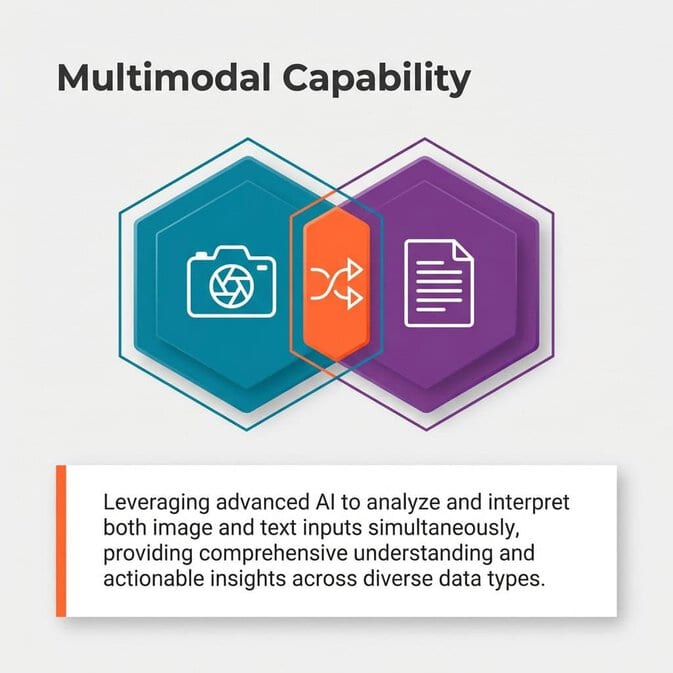
Multimodal capabilities enable document analysis, image understanding, and visual content generation. Applications can process diagrams, extract text from images, and analyze visual data.
This functionality supports use cases like medical imaging analysis, document processing, and visual quality control. Teams combine text and image understanding in single workflows.
Context Windows and Token Limits
Context window size determines how much information models process simultaneously. Larger windows enable longer documents and extended conversations.
GPT-5.4 Pro offers extended context capabilities compared to standard GPT-5.4. This matters for applications analyzing lengthy documents or maintaining long conversation threads.
Balance context window needs against cost. Larger contexts consume more tokens per request.
Deployment Types and Configuration
How you deploy Azure OpenAI Service affects performance, cost, and data handling. Three deployment models serve different requirements.
Each deployment type involves tradeoffs. Understand capacity allocation, regional availability, and data residency implications before selecting an approach.
Standard Deployment
Standard deployment uses shared capacity across Azure regions. You pay for tokens processed without reserving dedicated resources.
This model suits variable workloads. Teams experimenting with AI or handling unpredictable request volumes benefit from consumption-based pricing.
Standard deployments provide automatic scaling. Azure allocates compute resources as needed without manual intervention.
The downside is potential throttling during peak demand. Shared capacity means competing with other tenants for resources.
Provisioned Throughput
Provisioned throughput reserves dedicated model capacity. You purchase PTU (Provisioned Throughput Units) for guaranteed performance.
This approach benefits high-volume production applications. Consistent performance and predictable costs matter more than flexibility.
Calculate your PTU requirements based on expected token throughput. Underestimating leads to throttling. Overestimating wastes budget.
Data Zone Deployment
Data zone deployments provide regional data residency control. Your requests and model processing stay within specified geographic boundaries.
This matters for regulatory compliance. GDPR, HIPAA, and industry-specific requirements often mandate data location controls.
Data zone standard combines residency control with dynamic capacity routing. Requests stay within your specified region while benefiting from optimized resource allocation.
| Deployment Type | Best For | Cost Model | Key Benefit |
|---|---|---|---|
| Standard | Variable workloads | Pay-per-token | Flexibility |
| Provisioned | High–volume production | Reserved capacity | Guaranteed performance |
| Data Zone | Regulated industries | Regional pricing | Compliance control |
Pricing Models and Cost Management
AI costs surprise organizations moving from pilots to production. Token consumption scales differently than traditional infrastructure.
Understanding pricing structures prevents budget overruns. Three primary cost models apply to different deployment patterns.
Standard Pay-As-You-Go Pricing
Pay-as-you-go charges per token processed. Input tokens and output tokens have different rates.
Model complexity affects pricing. GPT-5.4 Pro costs more per token than GPT-4.1. Reasoning models carry premium pricing compared to standard text generation.
Track token consumption patterns. Some prompts generate unexpectedly long responses. Optimize prompt engineering to control output length.
Provisioned Capacity Reservations
Provisioned throughput requires upfront capacity purchase. You commit to PTU quantities for specified durations.
Calculate break-even points. If consistent volume exceeds certain thresholds, provisioned becomes more economical than pay-as-you-go.
Provisioned pricing includes discounts for longer commitments. One-year and three-year reservations reduce per-PTU costs.
Monitor utilization rates. Underused provisioned capacity wastes money. Right-size allocations based on actual traffic patterns.
Batch Processing Discounts
Batch processing offers reduced rates for non-urgent workloads. Submit large analysis jobs for processing during off-peak periods.
This approach suits data processing, content generation, and analytical workflows. Acceptable latency makes batch economically attractive.
Batch pricing typically provides significant discounts compared to real-time processing. Use it for training data preparation, bulk content analysis, and reporting.
Cost Optimization Strategies
Implement token usage monitoring from day one. Track consumption by application, user group, and model type.
Optimize prompts to reduce token waste. Clear instructions prevent unnecessary back-and-forth. Structured outputs minimize parsing overhead.
Cache common responses when appropriate. Repeated queries for similar information don’t require full model processing each time.
Consider model selection carefully. Not every task requires GPT-5.4 Pro. Match model capability to actual requirements.
Microsoft Foundry Platform Integration
Microsoft Foundry transforms Azure OpenAI Service from model access to complete AI operations platform. It adds orchestration, governance, and workflow automation.
Teams managing multiple AI initiatives need centralized coordination. Foundry provides the infrastructure layer for enterprise AI operations.
Model Catalog Management
Foundry’s model catalog centralizes access to multiple model families. GPT models, reasoning engines, and specialized models appear in unified interface.
Teams select appropriate models for specific tasks. The catalog provides capability descriptions, performance characteristics, and cost information.
Version management becomes straightforward. Track which applications use which model versions. Plan upgrades systematically rather than reactively.
Agent Service Architecture
Build agent systems where specialized components handle specific tasks. One agent manages data retrieval. Another handles analysis. A third generates responses.
Agent orchestration coordinates these components. Define workflows specifying how agents interact and pass information.
This architecture enables complex AI applications. Customer support systems combine retrieval, analysis, and response generation through coordinated agents.
Workflow Automation
Foundry provides workflow templates for common AI patterns. Data ingestion, processing, analysis, and output generation follow repeatable sequences.
Define workflows visually or through code. Specify triggers, processing steps, and output destinations.
Workflows integrate with Azure services. Trigger processing when data arrives in Cosmos DB. Store results in Azure Storage. Send notifications through Azure Event Grid.
Governance and Monitoring
Enterprise AI requires governance frameworks. Who can deploy models? What data can applications access? How are costs allocated?
Foundry implements policy controls at platform level. Define approval workflows for new deployments. Set spending limits per team or application.
Monitoring provides visibility into AI operations. Track model performance, token consumption, and error rates. Identify optimization opportunities through usage analysis.
AI Agents and Automation
AI agents transform models from question-answering tools into autonomous systems. They perceive environments, make decisions, and take actions.
Building effective agent systems requires understanding capabilities and limitations. Agents excel at specific tasks but need proper boundaries.
Agent Design Patterns
Retrieval agents fetch information from knowledge sources. They understand queries, identify relevant data, and return structured results.
Analysis agents process retrieved information. They identify patterns, extract insights, and generate summaries.
Action agents execute operations based on analysis. They update databases, trigger workflows, and interface with external systems.
Orchestration agents coordinate specialized agents. They route requests, aggregate results, and manage complex workflows.
Multi-Agent Systems
Complex applications combine multiple agent types. Customer support systems need retrieval agents for documentation, analysis agents for issue classification, and action agents for ticket creation.
Design communication protocols between agents. Define message formats, error handling, and timeout behaviors.
Implement feedback loops. Agents learn from outcomes and adjust behaviors. A retrieval agent improves query strategies based on result quality.
Autonomous Process Automation
Agent systems automate business processes end-to-end. Invoice processing combines document analysis, data extraction, validation, and system updates.
Define decision boundaries carefully. Agents handle routine cases autonomously. Edge cases escalate to human review.
Audit trails track agent decisions. Understand why specific actions were taken. Meet compliance requirements for automated processes.
Security, Compliance, and Responsible AI
Enterprise AI deployment requires security controls and compliance frameworks. Azure OpenAI Service provides multiple protection layers.
Security isn’t just technical controls. Responsible AI practices prevent harm and ensure ethical deployment.
Data Protection and Encryption
Data encryption protects information in transit and at rest. Azure OpenAI Service encrypts API requests using TLS. Stored data uses Azure’s encryption infrastructure.
Key management options include Microsoft-managed keys and customer-managed keys. Customer-managed keys provide additional control for sensitive workloads.
Data residency controls determine where processing occurs. Data zone deployments keep information within specified regions.
Access Control and Authentication
Azure Active Directory integration provides enterprise identity management. Users authenticate with existing credentials. Multi-factor authentication adds protection.
Role-based access control defines permissions granularly. Separate read access from deployment permissions. Restrict model configuration to authorized administrators.
API key management follows security best practices. Rotate keys regularly. Use separate keys for different applications.
Content Filtering and Safety
Content filters prevent harmful outputs. Configure filtering levels based on application requirements.
Filter categories include hate speech, violence, sexual content, and self-harm. Each category has configurable severity thresholds.
Test filters thoroughly during development. False positives block legitimate content. False negatives allow harmful outputs.
Balance safety with application requirements. Medical applications need different filtering than general chatbots.
Compliance Certifications
Azure OpenAI Service maintains multiple compliance certifications. SOC 2, ISO 27001, and FedRAMP support various regulatory requirements.
Industry-specific compliance requires additional configuration. Healthcare applications need HIPAA business associate agreements. Financial services need specific audit controls.
Document compliance controls in implementation. Regulators need evidence of proper safeguards.
Responsible AI Practices
Responsible AI extends beyond technical compliance. Consider fairness, transparency, and accountability.
Test models for bias across demographic groups. Evaluate whether outputs treat all users equitably.
Provide transparency about AI usage. Users should know when interacting with AI systems.
Establish accountability frameworks. Define who’s responsible for AI system behavior. Create processes for addressing concerns.
Implementation and Getting Started
Moving from evaluation to production requires systematic planning. This section outlines implementation steps.
Prerequisites and Setup
Start with Azure subscription and proper access permissions. Request Azure OpenAI Service access through Azure Portal.
Access requests undergo review. Microsoft evaluates use cases for responsible AI alignment.
Configure resource groups for organization. Separate development, staging, and production environments.
Initial Model Deployment
Select appropriate model for your use case. Start with standard deployment for testing.
Configure deployment settings including region, capacity, and filtering. Test with sample queries before production traffic.
Implement monitoring from initial deployment. Track token usage, latency, and error rates.
API Integration
Azure OpenAI Service uses REST APIs compatible with OpenAI standards. Existing applications require minimal modification.
SDK support includes Python, .NET, JavaScript, and Java. Use official SDKs for simplified integration.
Implement proper error handling. Network issues, throttling, and model errors require different responses.
Testing and Validation
Develop comprehensive test suites before production. Test edge cases, long inputs, and error conditions.
Validate output quality against requirements. Does the model provide accurate, relevant responses?
Performance testing identifies bottlenecks. Measure latency under expected load.
Production Readiness
Implement rate limiting to protect against runaway costs. Set per-user and per-application quotas.
Configure alerts for anomalies. Sudden usage spikes, elevated error rates, or latency increases need investigation.
Document deployment architecture. Future teams need to understand system design.
Real-World Use Cases
Understanding practical applications helps evaluate whether Azure OpenAI Service fits your requirements.
Customer Support Automation
AI-powered support systems handle routine inquiries. Customers get immediate responses without agent intervention.
Retrieval-augmented generation accesses knowledge bases. The system finds relevant documentation and formulates responses.
Complex issues escalate to human agents with context. Agents see conversation history and AI-provided information.
Document Analysis and Processing
Organizations process thousands of documents requiring review. Contracts, reports, and regulatory filings need analysis.
AI systems extract key information, identify risks, and flag anomalies. Legal teams review findings rather than reading every document.
Multimodal capabilities handle documents mixing text and images. Forms, diagrams, and scanned documents process through single workflow.
Code Generation and Review
Development teams use AI for code assistance. Generate boilerplate code, write tests, and review pull requests.
Code explanation helps onboard new developers. The AI describes complex code sections in plain language.
Automated code review identifies potential issues. Security vulnerabilities, performance problems, and style violations surface before human review.
Data Analysis and Insights
Business analysts query data using natural language. AI translates questions into SQL, executes queries, and explains results.
Trend identification processes large datasets. The AI finds patterns humans might miss.
Report generation combines data analysis with natural language. AI produces executive summaries from raw data.
Integration with Azure Ecosystem
Azure OpenAI Service gains power through integration with other Azure services. Connected capabilities enable sophisticated applications.
Azure Cosmos DB
Store conversation history, user preferences, and application data in Cosmos DB. Global distribution provides low-latency access.
Vector search capabilities enable semantic similarity matching. Find related documents based on meaning rather than keywords.
Change feed triggers AI processing when data updates. New documents automatically enter analysis workflows.
Azure AI Search
AI Search provides intelligent retrieval for large knowledge bases. Index documents, add semantic ranking, and enable vector search.
Integration with Azure OpenAI creates powerful RAG systems. Retrieve relevant context before generating responses.
Custom skills enhance search capabilities. Extract entities, classify documents, and enrich metadata.
Azure Functions
Serverless functions handle event-driven AI processing. Trigger model inference from various events.
Functions scale automatically with demand. Process batch jobs during off-peak hours.
Cost-effective for intermittent workloads. Pay only for actual execution time.
Azure Kubernetes Service
Deploy AI applications in containers for consistency. AKS provides orchestration for complex applications.
Scale applications based on demand. Add capacity during peak usage.
Integrate with Azure OpenAI through private endpoints. Keep traffic within Azure network.
Performance Optimization
Optimizing AI applications improves user experience and reduces costs. Several strategies deliver meaningful improvements.
Prompt Engineering
Well-designed prompts generate better outputs with fewer tokens. Clear instructions reduce unnecessary processing.
Provide examples in prompts. Few-shot learning improves output quality.
Specify output format explicitly. Structured outputs parse more reliably than freeform text.
Context Management
Minimize context size while maintaining quality. Include only relevant information in prompts.
Summarize long conversations before continuing. Condensed context reduces token consumption.
Cache frequently used context. Avoid reprocessing static information.
Model Selection
Match model capabilities to task requirements. Simple classification doesn’t need GPT-5.4 Pro.
Test multiple models for your use case. Smaller models sometimes provide adequate quality at lower cost.
Use reasoning models only when necessary. Their specialized capabilities carry premium pricing.
Request Batching
Combine multiple requests when possible. Batch processing reduces overhead.
Group similar tasks for processing. Consistent prompt structures improve efficiency.
Balance batch size with latency requirements. Larger batches reduce costs but increase wait times.
Monitoring and Troubleshooting
Production AI systems require continuous monitoring. Identify issues before they impact users.
Key Metrics
Common Issues
Logging and Diagnostics
Future Considerations and Roadmap
AI technology evolves rapidly. Plan for ongoing adaptation.
New model releases bring enhanced capabilities. GPT-5.4 represents current state, but further improvements continue.
Foundry platform expansion adds functionality. Agent capabilities, model options, and integration tools grow.
Stay informed about Azure OpenAI updates. Microsoft announces features through official channels.
Plan upgrade paths for your applications. New model versions require testing before deployment.
Budget for experimentation. Testing new capabilities identifies optimization opportunities.
Consider how AI strategy evolves with technology. Today’s advanced features become tomorrow’s baseline expectations.
Azure OpenAI Service provides enterprise teams with production-grade AI capabilities. The platform combines OpenAI’s models with Azure’s infrastructure and security.
Success requires understanding deployment options, cost models, and integration patterns. Match deployment type to your workload characteristics. Select appropriate models for specific tasks. Implement proper security and compliance controls.
Start with clear use cases and defined success metrics. Build systematically from proof of concept to production deployment. Monitor performance and costs continuously.
For organizations committed to enterprise AI, understanding Microsoft’s Azure OpenAI Service fundamentals creates the foundation for effective implementation. Teams evaluating total economic impact of Microsoft Azure OpenAI Service can assess financial implications against business value.
Integration examples like AI candidate screening with Microsoft Fabric and Azure OpenAI demonstrate practical applications. Advanced implementations including Azure AI Foundry multi-agent systems show what’s possible with coordinated AI architectures.
Digital maturity grows through purposeful implementation. Build with clear objectives, measure results, and adapt based on evidence.