

Azure OpenAI Service: Enterprise Integration Guide
This enterprise-focused playbook covers Azure OpenAI Service architecture, deployment, and production scaling for organizations integrating advanced language models into existing infrastructure.
Azure OpenAI Service represents Microsoft’s answer to enterprise AI deployment at scale. Organizations struggle with integrating advanced language models into existing infrastructure while maintaining security controls.
The service provides API access to OpenAI’s models within Azure’s ecosystem. Microsoft Azure OpenAI Service reached 80,000 enterprise customers globally by the fourth quarter of fiscal year 2025, marking a 64% year-over-year adoption increase.

The foundation for successful implementation starts with understanding what differentiates Azure OpenAI from consumer AI services. Enterprise requirements demand compliance, customization, and control.
Understanding Azure OpenAI Service Architecture
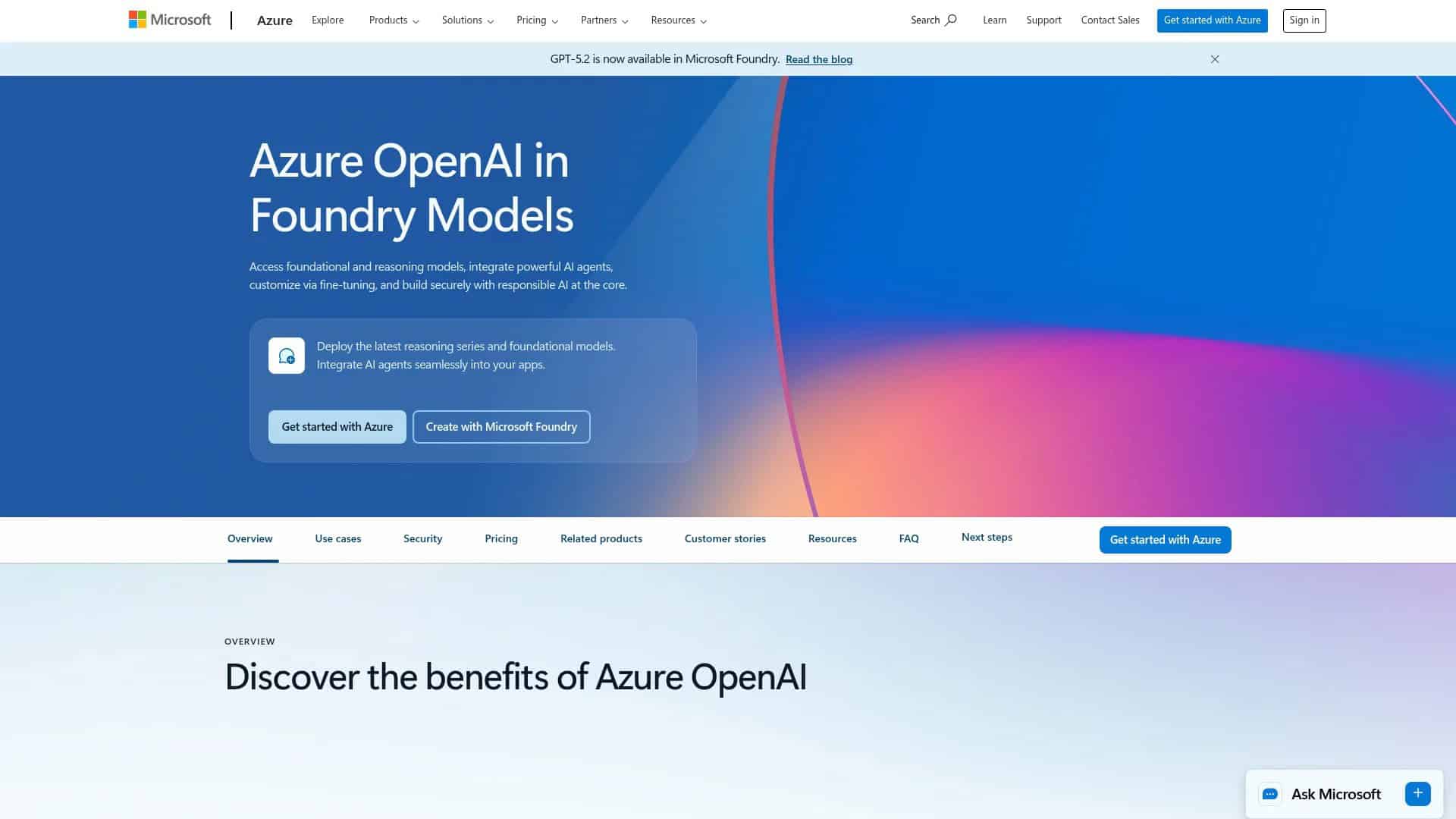
Azure OpenAI Service operates as a managed cloud service within Microsoft’s Azure ecosystem. The architecture separates it from consumer AI products through enterprise-grade controls and integration capabilities.
The service provides API endpoints that connect to OpenAI models deployed in Azure regions. Your applications send requests through these endpoints and receive model responses secured within your Azure subscription.
Core Service Components
Three primary components form the service foundation. The REST API layer handles authentication and request routing. The model deployment layer manages which models run in your environment. The monitoring layer tracks usage and performance metrics.
API authentication uses Azure Active Directory integration. Your applications authenticate through standard Azure identity protocols rather than managing separate API keys for each service.
Model deployments exist within your Azure resource groups. You control which models deploy, where they run, and how much capacity they receive. This separation allows different teams to use different models with independent scaling.
Deployment Architecture Options
Azure OpenAI offers three deployment types matched to different usage patterns. Standard deployments share capacity across customers in a region. Provisioned deployments reserve dedicated capacity for your workloads. Batch deployments process large volumes asynchronously at lower costs.
Standard deployments work for most enterprise applications with variable traffic. You pay per token processed without minimum commitments. Rate limits apply based on your quota allocation.
Provisioned deployments guarantee throughput for mission-critical applications. Over 1,500 customers are using both Anthropic and OpenAI models through Foundry, with customers spending more than $1 million per quarter growing nearly 80% year-over-year.

Integration with Microsoft Foundry
Microsoft Foundry extends Azure OpenAI with additional capabilities for enterprise AI workflows. Foundry provides unified model management across OpenAI and other model providers.
The platform includes model evaluation tools, deployment pipelines, and monitoring dashboards. Teams can compare model performance before production deployment. Foundry also manages access controls across different model types.

Available Models and Capabilities
Azure OpenAI Service provides access to multiple model families optimized for different tasks. Understanding model capabilities guides deployment decisions and application architecture.
Model selection affects performance, cost, and feature availability. Each model family targets specific use cases with distinct token limits and pricing structures.
GPT-4 Series Models
GPT-4 models represent the most capable language models available through Azure OpenAI. These models handle complex reasoning, analysis, and generation tasks.
GPT-4 offers a 8,192 token context window suitable for most enterprise applications. The model excels at technical writing, code generation, and nuanced language understanding.
GPT-4 Turbo extends the context window to 128,000 tokens. This capacity supports analyzing entire documents, long conversation histories, or large codebases in a single request.
GPT-4o (optimized) provides similar capabilities to GPT-4 Turbo with improved speed and reduced costs. Many enterprises migrate from GPT-4 to GPT-4o for production deployments requiring high throughput.
| Model | Context Window | Best Use Cases | Deployment Type |
|---|---|---|---|
| GPT-4 | 8K tokens | General reasoning, analysis | Standard, Provisioned |
| GPT-4 Turbo | 128K tokens | Document analysis, long context | Standard, Provisioned |
| GPT-40 | 128K tokens | High-volume production workloads | Standard, Provisioned, Batch |
GPT-5 and Advanced Reasoning Models
GPT-5 introduces enhanced reasoning capabilities for complex problem-solving tasks. These models demonstrate improved performance on mathematical reasoning, scientific analysis, and multi-step logical tasks.
The o-series reasoning models specialize in tasks requiring deliberate thought processes. They allocate additional compute time to analyze problems before generating responses.
Organizations use reasoning models for financial modeling, research analysis, and complex decision support. The models show their value when accuracy matters more than response speed.
Embeddings Models
Embeddings models convert text into vector representations for semantic search and retrieval applications. Azure OpenAI provides text-embedding-ada-002 and newer embedding models optimized for different use cases.
Vector embeddings enable semantic search across enterprise knowledge bases. Applications retrieve relevant information based on meaning rather than keyword matching.
Organizations combine embeddings with Azure Cognitive Search for retrieval-augmented generation (RAG) patterns. The system finds relevant context from enterprise data, then uses GPT models to generate responses grounded in that information.
Chat Completions vs Completions API
Azure OpenAI exposes models through two API patterns. The chat completions API structures conversations with system messages, user messages, and assistant responses. The completions API provides simple text-in, text-out processing.
Chat completions work for conversational applications and agents. The API maintains conversation context through message arrays. System messages set behavior and constraints for the model.
Completions suit non-conversational tasks like text transformation, summarization, or classification. The simpler API structure reduces overhead for batch processing workflows.
Pricing Models and Cost Management
Azure OpenAI pricing combines model selection, deployment type, and token volume. Understanding the pricing structure helps organizations budget for production deployments and optimize costs.
Token-based pricing charges separately for input tokens (prompt) and output tokens (completion). Different models have different per-token costs reflecting their computational requirements.
Standard Deployment Pricing
Standard deployments use pay-as-you-go pricing based on tokens processed. You pay only for actual usage without capacity reservations or minimum commitments.
Pricing varies by model and region. GPT-4o costs less per token than GPT-4, while GPT-4 Turbo falls between them. Azure publishes detailed pricing per 1,000 tokens for each model.
Input tokens typically cost less than output tokens. Efficient prompt design that minimizes output length reduces costs. Some organizations achieve 30-40% cost reduction through prompt optimization.
Provisioned Throughput Pricing
Provisioned deployments charge for reserved capacity measured in Provisioned Throughput Units (PTUs). Each PTU provides guaranteed throughput for your workload.
Organizations purchase PTUs in hourly increments or commit to longer-term reservations for discounts. Reserved capacity costs more per token than standard deployments but guarantees availability.
Provisioned pricing makes sense when workload predictability and guaranteed performance outweigh flexibility. Mission-critical applications often justify the additional cost.
Batch Processing Cost Optimization
Batch deployments offer 50% discounts on token processing for asynchronous workloads. Jobs process when capacity becomes available, typically within 24 hours.

Batch jobs submit through the same API with different endpoints. Results store in Azure Blob Storage for retrieval when processing completes.
Cost Management Strategies
Several approaches reduce Azure OpenAI costs without sacrificing functionality. Model selection represents the most significant cost lever.
Using GPT-4o instead of GPT-4 for general tasks cuts costs while maintaining quality. Reserve GPT-4 for tasks requiring its specific capabilities.
Prompt engineering reduces token usage. Shorter system messages, efficient examples, and concise output requirements all lower costs. Testing prompts against token counts before production prevents expensive surprises.
Caching frequently-used context reduces redundant token processing. Applications store common prompt components and reuse them across requests.
Azure Cost Management tools track spending across deployments. Set budgets and alerts to monitor costs before they exceed expectations.
Regional Availability and Data Residency
Azure OpenAI Service deploys across multiple Azure regions worldwide. Regional availability affects latency, data residency, and compliance requirements.
Model availability varies by region. Newer models often launch in limited regions before expanding globally. Organizations must verify their required models are available in their preferred regions.
Global Region Distribution
Azure OpenAI operates in North America, Europe, Asia Pacific, and other regions. Each region provides independent capacity and availability zones.
North American regions (East US, West US, Canada) typically receive new model releases first. European regions follow with deployments in West Europe and North Europe supporting GDPR compliance.
Asia Pacific regions include Japan, Australia, and Southeast Asia. Organizations with operations in multiple continents deploy regional endpoints for lower latency.
Data Residency and Compliance
Azure OpenAI processes data within the deployment region. Prompts and completions remain in the same geography, supporting data residency requirements.
The service meets Azure’s compliance certifications including SOC 2, ISO 27001, and HIPAA. Regional deployments inherit Azure’s certifications for that geography.
Organizations with strict data localization requirements select regions matching their compliance needs. Financial services and healthcare organizations often mandate specific geographic deployments.
Capacity and Quota Management
Azure allocates Azure OpenAI capacity through quota systems. Each subscription receives default quota that can be increased through support requests.
Quota limits apply per model and per region. Organizations may have sufficient quota in one region but need increases in others. Planning for capacity needs before production launch prevents availability issues.

Getting Started with Azure OpenAI Implementation
Implementing Azure OpenAI follows a structured progression from access request to production deployment. Understanding this path helps teams plan timelines and resource requirements.
Organizations need Azure subscriptions and appropriate permissions before beginning. The implementation path moves through access approval, environment setup, and initial testing.
Access Request and Approval Process
Azure OpenAI requires approval before use. Submit access requests through the Azure Portal specifying your use case, organization, and expected usage volume.
Microsoft reviews requests to ensure appropriate use cases and prevent abuse. Approval typically completes within days for enterprise customers with established Azure relationships.
The application asks for detailed use case descriptions. Specific, business-focused explanations receive faster approval than vague requests. Include information about data types, expected volume, and compliance requirements.
Azure Resource Provisioning
After approval, create Azure OpenAI resources in your subscription. Resources deploy to specific regions and contain your model deployments.
Use Azure Portal, CLI, or Infrastructure-as-Code tools like Terraform for provisioning. Infrastructure-as-Code enables consistent deployments across environments and regions.
Configure network security during resource creation. Azure OpenAI supports private endpoints for network isolation. Organizations with strict security requirements deploy resources in virtual networks without public internet access.
Model Deployment Configuration
Deploy models to your Azure OpenAI resource after provisioning. Select the model family, version, and deployment type that matches your application requirements.
Each deployment needs a unique name within your resource. Applications reference deployments by name when calling the API. Use descriptive names that indicate the model and purpose.
Set capacity for each deployment based on expected throughput. Standard deployments share capacity, while provisioned deployments require PTU allocation. Start conservative and scale based on actual usage patterns.
Authentication and Access Control
Azure OpenAI authentication uses Azure Active Directory by default. Configure managed identities for Azure resources or service principals for external applications.
Role-based access control (RBAC) manages who can deploy models, call APIs, and view monitoring data. The Cognitive Services User role allows API calls. Cognitive Services Contributor allows model deployment.
Generate API keys for simpler authentication during development. Production applications should use Azure AD authentication for better security and audit trails.
API Reference and Integration Patterns
Azure OpenAI exposes REST APIs compatible with OpenAI’s API specification. This compatibility allows applications to switch between OpenAI and Azure OpenAI with minimal code changes.
API endpoints follow Azure resource addressing patterns. The base URL includes your resource name and region. Authentication headers carry Azure AD tokens or API keys.
REST API Fundamentals
The REST API accepts HTTP POST requests to model-specific endpoints. Request bodies contain the prompt, parameters, and configuration options.
Chat completions API structure includes a messages array with role-based entries. Each message has a role (system, user, or assistant) and content. The model generates the next assistant message.
Response format matches OpenAI specifications. The choices array contains generated completions with message content, finish reason, and token usage details.
SDK Integration Options
Azure provides official SDKs for Python, JavaScript, C#, and Java. These SDKs simplify authentication, request formatting, and error handling.
Python SDK installation uses pip: pip install openai. Configure the SDK with your Azure endpoint and authentication credentials.
The SDK handles retry logic, rate limiting, and streaming responses automatically. Production applications benefit from these built-in capabilities rather than implementing them manually.
Streaming Response Handling
Streaming mode returns completion tokens progressively rather than waiting for full generation. This improves perceived latency for user-facing applications.
Enable streaming by setting stream: true in API requests. The response arrives as server-sent events with partial completion chunks.
Applications display chunks as they arrive, creating a typing effect. Users see responses begin immediately rather than waiting for complete generation. This pattern works particularly well for longer completions.
Error Handling and Retry Logic
Azure OpenAI returns standard HTTP status codes for errors. 429 indicates rate limiting. 500-series codes signal service issues. 400-series codes mean request problems.
Implement exponential backoff for rate limit errors. Wait progressively longer between retries to avoid overwhelming the service. Most SDKs include built-in retry logic.
Log errors with request IDs for troubleshooting. Azure support uses request IDs to investigate specific failures. Include them in support tickets for faster resolution.
Enterprise Security and Compliance Framework
Azure OpenAI inherits Azure’s enterprise security controls. Organizations leverage existing Azure security investments rather than implementing separate controls.
Security spans network isolation, data protection, access control, and compliance certifications. Understanding these layers guides security architecture decisions.
Network Security and Private Endpoints
Azure OpenAI supports private endpoints through Azure Private Link. Private endpoints expose the service only within your virtual network without public internet access.
Deploy private endpoints in the same virtual network as your applications. Traffic flows entirely within Azure’s backbone network. External attackers cannot reach the service endpoints.
Network security groups control traffic to private endpoints. Configure rules that allow only expected application subnets to connect. This defense-in-depth approach limits lateral movement in network breaches.
Data Protection and Encryption
Azure OpenAI encrypts data in transit and at rest by default. TLS 1.2 or higher protects API traffic. Azure-managed keys encrypt stored data.
Customer-managed keys provide additional control over encryption. Store keys in Azure Key Vault and configure Azure OpenAI to use them for encryption. This approach satisfies compliance requirements for key management control.
Azure OpenAI does not store prompts or completions for model training. Your data remains private to your deployment. Microsoft cannot access your API requests or responses.
Identity and Access Management
Azure Active Directory integration provides centralized identity management. Users authenticate once to Azure AD and access Azure OpenAI without separate credentials.
Managed identities eliminate credential storage in application code. Azure services authenticate to Azure OpenAI using identities assigned at the resource level.
Conditional access policies apply to Azure OpenAI API calls. Require multi-factor authentication, restrict access by location, or mandate compliant devices before allowing API access.
Audit Logging and Monitoring
Azure Monitor logs all Azure OpenAI API calls. Logs include caller identity, timestamp, model used, token counts, and response codes.
Send logs to Log Analytics workspaces for analysis and alerting. Create queries that detect unusual patterns like unexpected model usage or access from new locations.
Azure Security Center monitors Azure OpenAI resources for security misconfigurations. It flags missing private endpoints, weak access controls, or other security issues.
Responsible AI and Content Filtering
Azure OpenAI includes content filtering that blocks harmful content in prompts and completions. The filtering system detects hate speech, violence, self-harm, and sexual content.
Content filters operate at different severity levels. Configure sensitivity based on your application’s risk tolerance. High-risk applications use stricter filtering.
Organizations deploy custom content moderation on top of built-in filters. Azure Content Moderator or custom models provide additional domain-specific filtering.
Production Deployment Patterns and Best Practices
Moving from development to production requires architectural patterns that ensure reliability, performance, and cost effectiveness. Successful deployments balance these factors.
Production patterns differ significantly from development approaches. What works for experimentation often fails at scale.
Deployment Architecture Patterns
Multi-region deployments provide high availability and disaster recovery. Deploy Azure OpenAI resources in multiple regions with application logic that fails over automatically.
Use Azure Traffic Manager or Azure Front Door for geographic routing. Users connect to the nearest region for lower latency. Failures in one region automatically reroute to healthy regions.
Hybrid deployment mixing standard and provisioned capacity optimizes costs. Use provisioned capacity for baseline load and standard deployments for burst traffic.
Rate Limiting and Throttling Strategies
Implement application-level rate limiting before calling Azure OpenAI. Queue requests and process them within quota limits to prevent 429 errors.
Azure API Management provides enterprise-grade rate limiting and throttling. Deploy it in front of Azure OpenAI to control request rates, implement quotas per client, and provide usage analytics.
Circuit breaker patterns prevent cascading failures. When Azure OpenAI returns errors consistently, stop sending requests temporarily. This protects your application and allows the service to recover.
Caching and Response Optimization
Cache frequently-requested completions to reduce token usage and improve response times. Use Azure Cache for Redis or application-level caching for storing responses.
Cache key design determines effectiveness. Hash prompts to create cache keys. Match exact prompts to cached responses. Semantic similarity matching requires more complex key design.
Set appropriate cache expiration based on content freshness requirements. Static content like documentation summarization caches for hours or days. Dynamic content caches for minutes.
Monitoring and Observability
Comprehensive monitoring tracks token usage, latency, error rates, and costs. Azure Monitor provides built-in metrics for Azure OpenAI resources.
Create custom dashboards showing key metrics. Track tokens per minute, average latency, error rate by type, and cost per deployment. Alert on anomalies that indicate problems.
Application Insights provides distributed tracing across your application stack. Track Azure OpenAI calls within broader application requests to understand performance bottlenecks.
Prompt Engineering for Production
Production prompts require optimization for cost, quality, and reliability. Test prompts extensively before production deployment.
System messages establish consistent model behavior. Write detailed system messages that define the model’s role, constraints, and output format requirements.
Use few-shot examples to improve quality. Include example input-output pairs in your prompts. Models learn patterns from examples and apply them to new inputs.
Validate outputs before using them in your application. Check format, content appropriateness, and factual accuracy. Never pass completions directly to users without validation.
Integration with Azure AI Services and Data Platforms
Azure OpenAI gains capabilities through integration with complementary Azure services. These integrations enable sophisticated AI applications beyond standalone language model usage.
Microsoft’s AI platform includes services for search, speech, vision, and decision-making. Combining them creates multi-modal applications.
Azure Cognitive Search Integration
Azure Cognitive Search provides semantic search over enterprise data. Azure Cognitive Search combined with Azure OpenAI enables retrieval-augmented generation patterns.
The RAG pattern retrieves relevant documents from Cognitive Search, then includes them as context in Azure OpenAI prompts. Models generate responses grounded in retrieved information rather than relying solely on training data.
Azure OpenAI On Your Data simplifies RAG implementation. Connect your Cognitive Search index to Azure OpenAI. The service automatically retrieves relevant documents and includes them in prompts.
Microsoft Fabric and Data Integration
Microsoft Fabric provides unified data management across data sources. Fabric connects data warehouses, lakehouses, and real-time analytics in a single platform.
Azure OpenAI accesses Fabric data through secure connections. Applications query Fabric for context data, then generate insights using language models.
Data engineering pipelines in Fabric can invoke Azure OpenAI for data enrichment. Transform raw data through language model processing as part of ETL workflows.
Azure AI Studio Integration
Microsoft Copilot integration with Azure AI Studio provides development tools for AI applications. The studio includes prompt testing, model evaluation, and deployment pipelines.
Build and test prompts in the studio before deploying to production. The testing environment shows token usage and response quality for different prompt variations.
Model evaluation tools compare outputs across models. Test the same prompts against GPT-4, GPT-4o, and other models to select the best option for your use case.
Azure Logic Apps and Power Platform
Azure Logic Apps orchestrates workflows that include Azure OpenAI. Create automated processes that analyze documents, generate reports, or process customer inquiries using language models.
Power Platform’s AI Builder integrates Azure OpenAI into low-code applications. Business users build applications that leverage language models without writing code.
Power Automate workflows call Azure OpenAI for email analysis, document summarization, and content generation. These integrations democratize AI access across organizations.
Use Cases and Implementation Examples
Azure OpenAI enables diverse enterprise applications across industries. Understanding proven use cases guides implementation decisions and sets realistic expectations.
Successful deployments share common patterns despite different domains. These patterns accelerate implementation for new use cases.
Document Intelligence and Analysis
Organizations process documents using Azure OpenAI for extraction, summarization, and analysis. Legal document review, contract analysis, and compliance checking all benefit from language model capabilities.
Extract structured data from unstructured documents. Submit document text to Azure OpenAI with instructions for data extraction. The model identifies and formats relevant information.
Summarize lengthy documents for executive review. Generate concise summaries that capture key points without losing critical details. Multi-document summarization compares and synthesizes information across sources.
Intelligent Customer Support
Customer support applications use Azure OpenAI for query analysis, response generation, and escalation routing. These systems augment human agents rather than replacing them.
Analyze customer inquiries to understand intent and sentiment. Route complex issues to specialized teams based on analysis. Generate draft responses for agent review and refinement.
Knowledge base search combines Azure Cognitive Search and Azure OpenAI. Retrieve relevant articles based on customer questions, then generate conversational responses that synthesize information from multiple sources.
Code Generation and Developer Tools
AI for code quality in life science R&D demonstrates Azure OpenAI applications in software development. Generate code from natural language descriptions, explain existing code, or suggest improvements.
Developer tools integrate Azure OpenAI for inline code suggestions. Developers describe functionality in comments and the model generates implementation code. This pattern accelerates development for routine tasks.
Code review tools analyze pull requests for security issues, performance problems, or style violations. Generate explanations of identified issues and suggest fixes.
Content Generation and Marketing
Marketing teams use Azure OpenAI for content creation, personalization, and optimization. Generate product descriptions, email campaigns, and social media content at scale.
Personalize content based on customer data and preferences. Generate variations targeting different segments. A/B test messaging variations to optimize engagement.
SEO optimization tools analyze content and suggest improvements. Generate meta descriptions, title tags, and keyword-optimized copy that maintains natural language quality.
Business Intelligence and Analytics
Transform natural language questions into database queries. Business users ask questions in plain English and receive data insights without learning SQL.
Generate narrative explanations of data trends. Connect Azure OpenAI to business intelligence dashboards. Create automated reports that explain what changed, why it matters, and what actions to consider.
Anomaly explanation systems analyze unusual patterns in business data. Generate hypotheses for anomaly causes based on historical context and domain knowledge.
Cost Optimization and Budget Management
Managing Azure OpenAI costs requires understanding usage patterns and applying optimization techniques. Organizations often reduce costs by 40-50% through careful optimization.
Navigating rising AI costs applies to Azure OpenAI implementations. Strategies balance quality, performance, and cost effectiveness.
Token Usage Optimization
Reduce prompt length without sacrificing quality. Remove verbose instructions and examples. Test minimal prompts that achieve desired quality.
Use shorter system messages. Front-load critical instructions and constraints. The model needs clear guidance but excessive verbosity wastes tokens.
Limit completion length through max_tokens parameters. Set realistic limits based on actual output requirements. Longer completions cost more and often reduce quality.
Model Selection Strategies
Choose the least expensive model that meets quality requirements. GPT-4o handles most tasks at lower cost than GPT-4. Reserve premium models for tasks that truly need them.
A/B test models for specific use cases. Compare outputs from different models at different price points. Organizations often find cheaper models perform adequately.
Task routing sends different requests to appropriate models. Simple tasks use efficient models. Complex reasoning tasks use more capable models. This hybrid approach optimizes total cost.
Caching and Deduplication
Cache identical or similar requests to avoid redundant processing. Hash requests and check the cache before calling Azure OpenAI.
Implement semantic deduplication for similar requests. Compare incoming requests to recent completions. Return cached responses for semantically equivalent requests.
Set cache expiration based on content freshness needs. Static content caches indefinitely. Time-sensitive content expires quickly.
Batch Processing for Offline Workloads
Move non-urgent processing to batch deployments. The 50% cost reduction justifies processing delays for many use cases.
Schedule batch jobs during off-peak hours. Process accumulated requests overnight or during low-traffic periods.
Prioritize workloads appropriately. Real-time user-facing applications use standard deployments. Backend processing, reporting, and analysis use batch processing.
Scaling from Pilots to Production
Successful Azure OpenAI deployments progress systematically from proof-of-concept to production. This progression mitigates risk while building organizational capability.

Future Roadmap and Emerging Capabilities
Azure OpenAI continues evolving with new models, features, and integrations. Understanding the roadmap helps organizations plan for future capabilities.
Microsoft invests heavily in AI infrastructure and capabilities. Intelligent applications with enterprise AI-first architecture represent the direction of enterprise AI development.
Multimodal Model Capabilities
GPT-4 Vision extends language models with image understanding. Applications analyze images, extract information, and generate descriptions.
Future models will combine text, image, audio, and video processing. Unified multimodal models process different input types without separate systems.
Enterprise use cases benefit from multimodal capabilities. Document processing handles both text and embedded images. Customer support analyzes screenshots alongside text descriptions.
Agent and Orchestration Frameworks
Agentic AI for collaboration in life science operations shows advanced agent implementations. Agents use tools, access data, and execute multi-step workflows.
Azure OpenAI agents combine language models with function calling. Models decide when to call external tools based on task requirements.
Orchestration frameworks coordinate multiple agents for complex tasks. Agents specialize in different domains and collaborate to solve problems.
Fine-Tuning and Customization
Fine-tuning creates specialized models trained on your data. Custom models perform better on domain-specific tasks than base models.
Azure OpenAI supports fine-tuning for GPT models. Upload training data, configure hyperparameters, and train custom models in your Azure environment.
Organizations use fine-tuning for specialized vocabularies, unique output formats, or proprietary knowledge. The investment pays off for high-volume specialized use cases.
Enhanced Enterprise Controls
Future capabilities include enhanced governance and compliance features. Organizations need granular controls for enterprise AI deployments.
Policy enforcement at the API level blocks prohibited use cases. Configure policies that prevent specific types of requests or content.
Advanced audit capabilities track prompt patterns, model usage, and compliance metrics. These insights support governance and risk management.
Key Questions About Azure OpenAI Service
What is Azure OpenAI?
Azure OpenAI is a managed cloud service provided by Microsoft that gives enterprises API access to OpenAI’s advanced AI models like GPT-4 and GPT-4o within Azure’s security, privacy, and compliance frameworks.
Is Azure OpenAI the same as ChatGPT?
No, Azure OpenAI and ChatGPT are different products. ChatGPT is a consumer-facing chat interface, while Azure OpenAI is an enterprise API service integrated into Microsoft’s cloud ecosystem with custom deployment, security controls, and business system integration capabilities.
Is OpenAI owned by Azure?
No, OpenAI is not owned by Azure. OpenAI is an independent AI research company, while Azure is Microsoft’s cloud platform that provides access to OpenAI’s models through a partnership agreement.
Building Your Azure OpenAI Strategy
Azure OpenAI Service provides enterprise-grade access to advanced language models within a secure, scalable cloud infrastructure. Organizations gain API access to GPT-4, GPT-5, and specialized models through Microsoft’s Azure platform.
Successful implementation requires understanding deployment architecture, pricing models, security controls, and integration patterns. Organizations that invest in proper architecture move from experimentation to production deployments handling millions of tokens.
The path forward starts with identifying high-value use cases that benefit from language model capabilities. Document intelligence, customer support, code generation, and content creation represent proven enterprise applications.
The total economic impact of Microsoft Azure OpenAI Service demonstrates measurable business value from properly implemented deployments.
Understanding Microsoft’s Azure OpenAI Service fundamentals provides additional context for organizations beginning their implementation journey.
Build with purpose by aligning AI investments with strategic business objectives. Avoid patchwork approaches that create technical debt. Azure OpenAI works best as part of a comprehensive enterprise AI strategy.