
Pay Only for the Compute You Use: Microsoft Fabric Zero-Provisioned (F0) Capacity
Microsoft is introducing a zero-provisioned capacity (F0) and on-demand billing for Microsoft Fabric. Here is what was announced, how it works, and what to plan for before it reaches your tenant.
Getting started with Microsoft Fabric has always meant one upfront decision: which capacity to buy. Every workload, from Power BI and pipelines to Spark and the warehouse, draws from a capacity (an F SKU) that you provision and pay for in advance.
That works well for steady, predictable demand. But for a pilot, a small team, or a workload that spikes once a month, it often means paying for compute that sits idle.
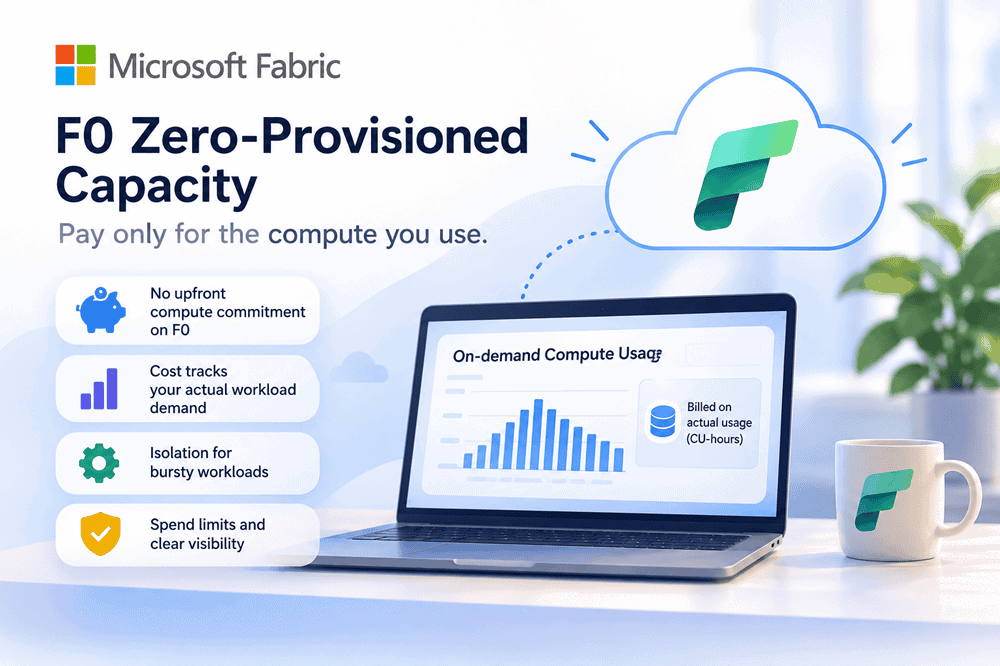
At FabCon Europe 2026, Microsoft announced a different path: Fabric zero-provisioned (F0) capacity and on-demand billing. Instead of committing to capacity first, you pay for the compute your supported workloads actually consume.
Whether you are exploring Fabric for the first time or trying to keep one bursty workload from crowding out the rest of your capacity, this changes the starting math.

What’s New: Two Ways to Pay for What You Use
Microsoft is introducing two related capabilities, both listed as coming soon in preview:
On-demand billing builds on Autoscale Billing for Spark, extending the same consumption-based approach to more Fabric workloads. Storage continues to be charged separately from compute.
How On-Demand Billing Works
On-demand billing is applied at the billing category level, not per workspace. That keeps behavior consistent across every workspace on the capacity, and each category is billed on its actual usage so it can scale independently.
Setup sits with the capacity administrator:
On the pricing side, Microsoft describes on-demand usage as measured in CU-hours without smoothing, priced as a multiplier of the pay-as-you-go capacity rate. The multiplier can vary by billing category.
Spend Controls Build Confidence
The biggest worry with any consumption model is the surprise bill. Microsoft addresses this with two controls.
Spend limits per category. Administrators set a limit for each on-demand billing category, expressed in CU-hours over a rolling 24-hour window. That puts a guardrail around the workloads most likely to spike.
Visibility in the Capacity Metrics app. A new On-demand compute tab shows on-demand consumption per billing category. Teams can see exactly which workloads are driving cost, using a tool many Fabric admins already rely on.
Together, these let finance and IT agree on a ceiling up front, then verify actual usage against it.
Where It Fits: Two Common Scenarios
The scenarios below are illustrative, not client results.
The seasonal spike. Microsoft’s own example: an organization running Data Warehouse and Data Factory workloads on one capacity moves the Data Warehouse category to on-demand billing during a seasonal promotion. The promotion’s query load gets its own compute, and the pipelines keep the shared capacity they were sized for. There is no need to upsize the whole capacity for a few busy weeks.
The pilot or proof of concept. Today, the smallest always-on F2 runs roughly $263 per month on pay-as-you-go in US regions, before storage and licenses. With F0, a team could stand up OneLake and a first workload without committing to that baseline, then use real consumption data to decide whether a provisioned or reserved capacity is the better long-term fit.
The rule of thumb: workloads that run constantly will likely stay cheaper on a reserved capacity, which is roughly 41% below pay-as-you-go. Bursty, unpredictable, or early-stage workloads are where on-demand billing earns its place.
Key Benefits for Your Business
What to Know Before You Adopt
This is a meaningful shift, but it needs thoughtful planning to pay off.
The practical move today: size and price your baseline on current pay-as-you-go and reserved rates, identify which workloads are problematic, and be ready to test on-demand billing when the preview lands.
How Smartbridge Helps
Getting the most from consumption-based billing comes down to knowing your workloads. At Smartbridge, we:
Compute spend should follow your business, not the other way around. With F0 and on-demand billing, Fabric is moving in that direction.
Want to understand what this means for your Fabric estate? Schedule a consultation with the Smartbridge team.

Smartbridge is a Microsoft Fabric Featured Partner. Check out what that means!